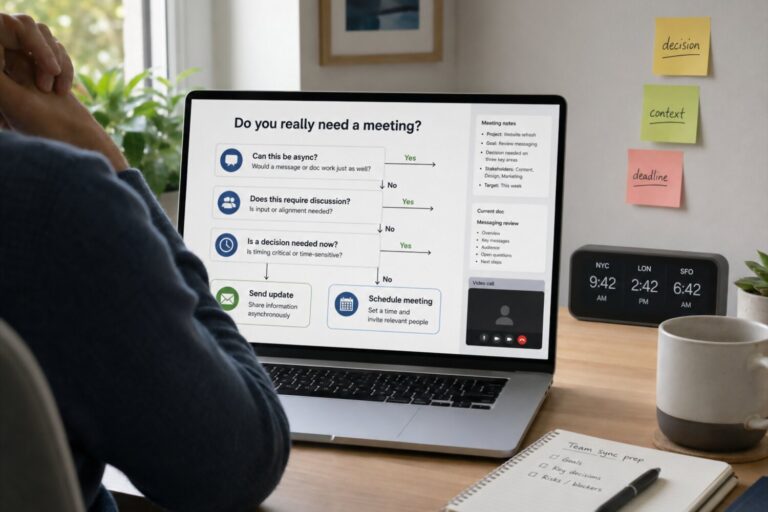
Why Remote Tech Workers Need a Routine
Remote work gives tech professionals something extremely valuable: control over their environment. There is no commute, fewer office interruptions, and more freedom to design the day around real productivity. But that same freedom can quickly become a problem without structure.
For many remote developers, engineers, designers, analysts, and IT specialists, the workday does not have a natural beginning or ending. A quick morning check of Slack can turn into two hours of reactive tasks. Lunch gets pushed aside because of “one more bug.” A late-night code review feels harmless until it becomes the new normal. Over time, remote work can blur the line between being flexible and being constantly available.
A good daily routine is not about forcing every hour into a rigid schedule. It is about creating a repeatable rhythm that protects your focus, energy, and personal time. Tech work often requires long periods of concentration, problem-solving, and context switching. Without a routine, the day can become fragmented by meetings, notifications, urgent tickets, and unfinished tasks.
A strong remote routine helps you:
- Start the day intentionally instead of reacting to messages immediately.
- Protect deep work time for coding, debugging, system design, or technical writing.
- Manage communication without being online every minute.
- Reduce decision fatigue by making healthy habits automatic.
- Create boundaries so work does not quietly take over your evenings.
The best routine for a remote tech worker is not the most intense one. It is the one that makes high-quality work sustainable. It should support both productivity and recovery, because in technical roles, tired thinking often leads to poor decisions, slower problem-solving, and more mistakes.
In other words, a routine is not a restriction. It is the operating system for a healthier remote workday.
Start the Day Without Jumping Straight Into Slack

For many remote tech workers, the workday begins with a notification. A Slack mention, a Jira update, a GitHub review request, or an email marked “urgent” can pull you into someone else’s priorities before you have even decided what matters most. This creates a reactive mindset, where the day starts with responding instead of thinking.
A better approach is to create a short startup routine before opening communication tools. This does not need to be long or complicated. Even 15–30 minutes can help you move from personal time into work mode with more control.
Start by checking your own priorities first. Look at your task board, calendar, open pull requests, or notes from yesterday. Ask yourself:
- What is the most important technical problem I need to solve today?
- Which task requires my best focus?
- Are there any meetings or deadlines that shape the day?
- What can wait until later?
This small habit prevents your morning from being hijacked by low-value messages. It also helps you protect your strongest mental energy for work that actually requires it, such as writing code, reviewing architecture, investigating incidents, or preparing a technical decision.
This does not mean ignoring your team. It means choosing the right order. Check your plan first, then check Slack, email, and tickets with context. When you do open them, you will be better prepared to decide what is urgent, what is important, and what is simply noise.
A practical morning flow might look like this:
- Open your calendar and task list.
- Pick the top one to three priorities.
- Identify your first deep work block.
- Then check messages and adjust only if something truly urgent appears.
Remote tech workers do not need a perfect morning routine. They need a deliberate one. The goal is to begin the day as the owner of your attention, not as a responder to every incoming alert.
Plan the Day Around Deep Work Blocks
Most technical work cannot be done well in tiny fragments of attention. Writing reliable code, debugging a difficult issue, designing a system, reviewing a complex pull request, or thinking through infrastructure changes all require time to load the full context into your mind. Every interruption forces you to rebuild that context, which can make even simple tasks feel slow and exhausting.
That is why remote tech workers should plan the day around deep work blocks: protected periods dedicated to demanding, high-value tasks. These blocks are different from ordinary work time. During deep work, the goal is not to “stay busy.” The goal is to make meaningful progress on the tasks that require your best thinking.
A useful deep work block is usually between 60 and 120 minutes. Shorter blocks may not be enough for complex technical problems, while much longer blocks can lead to fatigue. During this time, reduce anything that creates unnecessary context switching:
- Close Slack, email, and unrelated browser tabs.
- Put your phone away or use focus mode.
- Keep only the tools needed for the current task open.
- Write down distracting thoughts instead of acting on them immediately.
- Set a clear outcome for the block before starting.
For example, “work on backend service” is too vague. A stronger target would be: “implement the authentication error handling and add tests for the failure cases.” Clear outcomes help your brain focus and make it easier to measure progress.
Deep work does not mean disappearing from your team. It means making your availability intentional. You can mark focus time on your calendar, update your status, or agree on response expectations with your team. In healthy remote teams, not every message needs an instant reply.
The best routine usually places deep work when your energy is highest. For many people, that is the morning; for others, it may be late afternoon or evening. What matters is consistency. When you protect the same type of work at the same time most days, your brain learns when it is time to concentrate.
Remote tech workers do not win the day by answering the most messages. They win it by protecting enough uninterrupted time to solve the problems that actually move the work forward.
Use Async Communication Before Meetings
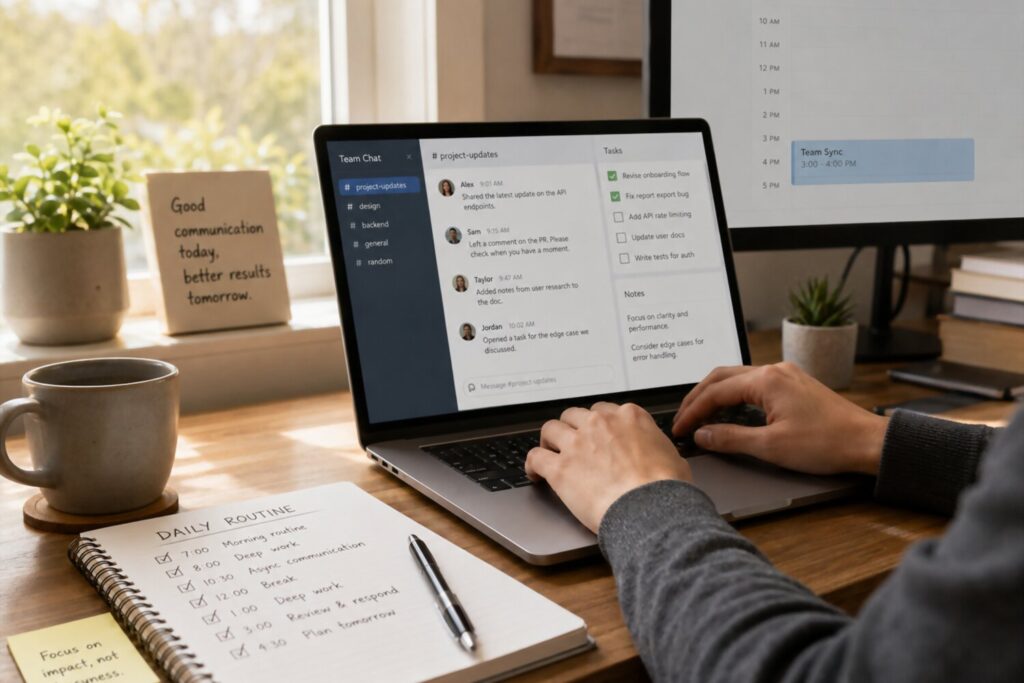
Remote tech work depends on communication, but not every conversation needs to happen in real time. In fact, too many live discussions can break the flow of the day and make focused technical work harder. Before scheduling another call, ask whether the topic could be handled asynchronously.
Async communication means sharing information in a way that people can read, review, and respond to without being online at the same moment. This can happen through project tickets, pull request comments, documentation, recorded walkthroughs, decision notes, or detailed Slack updates. For remote tech teams, async work is especially useful because it gives people time to think before responding.
This matters because technical decisions often benefit from reflection. A developer reviewing a design proposal may need to check code, compare trade-offs, or think through edge cases. A quick meeting can create pressure to answer immediately, while a written update gives everyone space to provide better input.
Good async communication is not just “send a message and hope people understand.” It should be clear, structured, and easy to act on. A useful async update often includes:
- Context: What problem are we solving?
- Current status: What has already been done?
- Decision needed: What question requires input?
- Options: What are the possible approaches?
- Deadline: When is feedback needed?
For example, instead of writing, “Can we talk about the API issue?” a stronger message would be: “The payment API is returning inconsistent error codes. I found two possible fixes: normalize errors in the service layer or update the client handling. I need feedback by 3 p.m. so I can implement the change today.”
This approach reduces unnecessary meetings and improves the quality of collaboration. It also creates a written record that future teammates can search, learn from, and build on.
Meetings still have a place. Use them for complex disagreements, sensitive conversations, brainstorming, or urgent incidents. But as a default, async communication helps remote tech workers protect deep work, support teammates in different time zones, and make decisions with more clarity.
The best remote teams do not communicate less. They communicate more deliberately.
Build a Healthy Meeting Routine
Meetings can either support a remote tech worker’s day or completely fragment it. A single call in the middle of a focus block can interrupt coding, delay problem-solving, and make it harder to return to complex work. This is especially true in technical roles, where context takes time to rebuild.
A healthy meeting routine starts with one simple idea: meetings should have a clear purpose. Before accepting or scheduling a call, check whether the meeting is meant to make a decision, unblock work, share important context, or solve a problem that cannot be handled asynchronously. If the purpose is unclear, the meeting will likely become a time sink.
Remote tech workers can protect their schedule by grouping meetings into specific windows when possible. For example, you might keep mornings for deep work and reserve early afternoon for standups, planning sessions, code discussions, or stakeholder updates. This reduces context switching and makes the day feel less scattered.
A good meeting routine includes a few practical rules:
- Require an agenda before joining longer meetings.
- Batch similar discussions instead of spreading them across the day.
- Keep standups short and focused on blockers, not full status reports.
- Decline or question meetings where your role is unclear.
- Leave buffer time after technical discussions to capture decisions and next steps.
The most effective remote meetings are not necessarily the longest or most detailed. They are the ones where people arrive prepared, discuss the right topic, and leave with a shared understanding of what happens next.
For technical teams, this is especially important. A vague conversation about “performance issues” can easily turn into 45 minutes of scattered opinions. A focused meeting with logs, metrics, examples, and decision points can solve the same problem much faster.
A healthy meeting routine does not mean avoiding collaboration. It means protecting the conditions that make collaboration useful. The goal is to make meetings serve the work, not become the work.
Add Movement, Food, and Screen Breaks Into the Schedule

Remote tech workers often spend long hours in the same chair, looking at the same screen, solving problems that demand intense concentration. This can make the day feel productive on the surface while quietly draining the body. Stiff shoulders, tired eyes, low energy, and afternoon brain fog are often signs that the routine is missing basic recovery points.
The solution is not to build a complicated wellness program into the workday. It is to treat movement, food, and breaks as part of doing good technical work. Your brain depends on your body more than it may seem, especially when you are debugging, reviewing code, or making decisions that require accuracy.
A healthier remote routine should include small, predictable resets:
- Short movement breaks between deep work blocks.
- A real lunch break away from the desk whenever possible.
- Eye breaks to reduce screen fatigue.
- Stretching or mobility work for the neck, back, wrists, and hips.
- Water within reach, so hydration does not become an afterthought.
These habits work best when they are attached to existing transitions. For example, stand up after finishing a pull request review, take a short walk after a meeting block, or stretch before starting the next focus session. This makes breaks feel natural instead of disruptive.
Food also matters more than many remote workers admit. Skipping lunch to “save time” often leads to slower thinking later in the day. A simple, steady meal can help maintain energy and reduce the temptation to survive on coffee and snacks.
Screen breaks are equally important. Tech work trains people to push through discomfort, but ignoring fatigue usually lowers output quality. A five-minute reset can prevent a much longer productivity crash.
The best remote routine is not only designed around tasks. It is designed around energy. When your body has regular chances to move, refuel, and recover, your technical work becomes more focused, sustainable, and consistent.
Use AI and Automation Without Letting Tools Run the Day
AI tools and automation can make remote tech work faster, but they should not turn the day into a constant stream of prompts, alerts, and half-reviewed suggestions. The goal is not to use as many tools as possible. The goal is to reduce repetitive work so you have more time for judgment, creativity, and deep technical thinking.
For remote tech workers, AI can be especially useful for tasks that are time-consuming but not always high-value. It can help summarize long discussions, draft documentation, explain unfamiliar code, generate test cases, create first-pass scripts, or turn meeting notes into action items. Automation can also handle routine workflows such as recurring reminders, status updates, deployment checks, and task organization.
A simple way to think about it:
| Use tools for | Do not fully outsource |
|---|---|
| Drafting documentation | Final technical decisions |
| Summarizing meetings | Understanding business context |
| Generating boilerplate code | Security-sensitive logic |
| Creating test ideas | Reviewing edge cases |
| Organizing tasks | Prioritizing important work |
The biggest risk is tool overload. When every app sends notifications and every workflow has a dashboard, your attention gets divided again. A remote tech worker should choose a small set of tools that solve real problems, then build clear habits around them.
For example, you might use AI at specific points in the day:
- In the morning, to summarize yesterday’s notes or open tickets.
- Before deep work, to clarify a technical concept or explore possible approaches.
- After meetings, to turn discussion into decisions and next steps.
- At the end of the day, to draft a brief progress update.
The important part is to keep yourself in control. AI can suggest, organize, and accelerate, but it cannot replace your responsibility to verify outputs, understand trade-offs, and protect quality. This is especially true in software development, where a confident-looking answer can still be wrong, insecure, or unsuitable for your system.
Use AI and automation like a good assistant, not like a manager. They should support your routine, not constantly interrupt it.
End With a Shutdown Ritual

One of the hardest parts of remote tech work is knowing when the workday is actually over. In an office, the end of the day is marked by leaving the building. At home, the laptop is still nearby, Slack is still one click away, and an unfinished bug can keep running in your mind long after working hours.
A shutdown ritual creates a clear boundary between work mode and personal time. It is a short, repeatable routine that tells your brain: today’s work is complete enough, and tomorrow has a plan. This is especially useful for tech workers, because complex problems often feel mentally “open” until they are written down or organized.
A good shutdown ritual does not need to take more than 10–15 minutes. The goal is to close loops, reduce anxiety, and make the next workday easier to start.
A simple end-of-day routine might include:
- Review what you completed so progress is visible, not forgotten.
- Update tickets, pull requests, or project notes while context is still fresh.
- Write down unresolved problems instead of trying to hold them in memory.
- Choose tomorrow’s top priorities so the next morning starts with direction.
- Send a short status update if your team benefits from async visibility.
- Close work apps and notifications to reduce the temptation to keep checking.
This ritual is not about pretending every task is finished. Technical work often spans days or weeks. The point is to define a clean stopping place. For example, instead of ending with “still debugging the API issue,” write: “Tested authentication flow, confirmed failure happens after token refresh, next step is to inspect middleware logs.”
That kind of note gives your future self a clear re-entry point. It also prevents the common remote-work habit of reopening the laptop later just to remember where you left off.
The final step should be physical if possible: close the laptop, clear the desk, turn off the monitor, or leave the workspace. Small signals matter. They help separate your role as a remote tech worker from the rest of your life.
The best shutdown ritual does not only end the workday. It protects your ability to return tomorrow with a clearer mind.
Common Mistakes To Avoid
Even with good intentions, remote tech workers can fall into habits that make the day feel busy but unproductive. The problem is usually not a lack of discipline. It is a routine that allows too many distractions, weak boundaries, or poorly planned work patterns.
One common mistake is starting the day in communication mode. When the first task is checking Slack, email, or project notifications, your attention immediately moves to other people’s priorities. This can be useful during incidents or urgent releases, but as a daily habit, it makes focused work harder to protect.
Another mistake is treating all tasks as equal. Answering messages, reviewing tickets, joining meetings, and solving complex technical problems do not require the same type of energy. A strong remote routine separates shallow work from deep work instead of mixing everything together throughout the day.
Avoid these common routine traps:
- Keeping notifications on all day and reacting to every message instantly.
- Scheduling meetings between focus blocks, which breaks concentration.
- Skipping breaks because working from home feels less physically demanding.
- Eating at the desk every day, which prevents real mental recovery.
- Leaving tasks unfinished in your head instead of writing clear next steps.
- Working late by default because there is no commute or office closing time.
- Using too many productivity tools without a simple system behind them.
A particularly dangerous mistake is confusing availability with value. Remote tech workers often feel pressure to prove they are working by responding quickly, staying online, or joining every discussion. But in most technical roles, your real value comes from solving problems, building reliable systems, making thoughtful decisions, and communicating clearly.
The best routine helps you avoid these traps by making good habits easier to repeat. You do not need to optimize every minute of the day. You need to protect the parts of the day that matter most.