Set Up a Sustainable Daily System
A sustainable daily system is the difference between consistent productivity and slow burnout. Remote IT work removes physical boundaries, so your brain never gets a clear signal of when to start or stop. Without structure, work expands into every available hour. Studies in behavioral psychology show that consistent routines reduce decision fatigue, which directly improves focus and energy over time. When you remove constant micro-decisions like when to begin or what to tackle first, your cognitive resources stay available for actual problem solving.
Define clear working hours and stick to them
Remote roles often blur time, especially across time zones. Setting fixed working hours creates a psychological contract with yourself and your team. This reduces the tendency to check messages late at night or start tasks too early. Research on work boundary management shows that employees with defined schedules report lower stress and higher long-term productivity.
It also protects your recovery time. Your brain needs predictable off-hours to reset, especially in cognitively demanding fields like software development or system design. Without this, mental fatigue accumulates even if you feel productive in the moment.
Create a start of day and end of day routine
Routines act as triggers for your brain. A simple start-of-day ritual like reviewing tasks or opening specific tools tells your mind it is time to focus. An end-of-day routine such as documenting progress or closing work apps signals completion.
This matters because your brain does not naturally “shut off” unfinished work. Cognitive science calls this the Zeigarnik effect, where incomplete tasks stay active in your mind. A proper shutdown routine reduces that mental load and improves sleep quality.
Prioritize tasks using simple frameworks
Not all tasks carry equal weight, yet many remote workers treat them that way. Using a prioritization system helps you focus on outcomes rather than activity. Simplicity is key because complex systems often collapse under real workload pressure.
Here is a comparison of two effective methods:
| Method | How it works | Why it matters |
|---|---|---|
| 1–3–5 rule | 1 big task, 3 medium tasks, 5 small tasks daily | Prevents overload and keeps expectations realistic |
| Time blocking | Assign specific hours to specific tasks | Reduces multitasking and increases deep focus |
Both methods reduce context switching, which is one of the biggest hidden drains on productivity. Studies show that switching tasks frequently can reduce efficiency by up to 40 percent due to mental reset time.
Separate deep work from shallow work
Remote IT jobs require both high concentration tasks and routine communication. Mixing them destroys efficiency. Deep work includes coding, debugging, and architecture design. Shallow work includes emails, standups, and status updates.
You need to intentionally separate these. Schedule uninterrupted blocks for deep work and batch shallow tasks into specific windows. This approach is backed by neuroscience research showing that sustained attention leads to higher quality output and faster completion times.
A simple structure could look like this:
- Morning: deep work when mental energy is highest
- Midday: meetings and communication
- Afternoon: lighter tasks and reviews
This alignment ensures your most demanding work gets your best cognitive resources.
Use a dedicated workspace to signal focus mode
Your environment shapes your behavior more than motivation does. A dedicated workspace creates a strong mental association with focus and productivity. Even a small, consistent area works if it is used only for work.
Environmental psychology shows that physical cues influence habit formation. When you sit in the same place each day for focused work, your brain adapts faster and resists distractions more effectively. This reduces the time it takes to “get into the zone.”
It also helps separate work from personal life. When your workspace is physically distinct, leaving it at the end of the day reinforces the boundary between professional and personal time. This separation is critical for preventing burnout in remote roles where everything happens in the same space.
Protect Your Energy, Not Just Your Time

Most remote professionals try to manage time, but energy is the real limiting factor. You can have eight free hours and still produce very little if your mental energy is depleted. Cognitive performance depends on factors like sleep quality, stress levels, and task intensity. Research in occupational health consistently shows that energy management has a stronger impact on sustained productivity than strict time control alone.
Recognize peak productivity hours and schedule demanding work there
Your brain does not operate at the same level throughout the day. Most people experience predictable peaks and dips tied to circadian rhythms. For many IT professionals, the highest focus window occurs in the first few hours after starting work.
Scheduling complex tasks during this period leads to better output with less effort. Tasks like debugging, writing architecture, or solving algorithmic problems require sustained attention and working memory. When these are done during low energy periods, they take longer and produce more errors.
Tracking your energy for a week can reveal patterns you can rely on. Once you identify those peaks, protect them aggressively from interruptions.
Take structured breaks to avoid mental fatigue
Working longer without breaks does not increase productivity. It usually reduces it. The brain accumulates cognitive fatigue, which lowers attention span and increases mistakes.
Short, intentional breaks help reset mental resources. Research shows that stepping away from a task improves problem solving by allowing subconscious processing. Even a five minute pause can restore focus if used consistently.
Effective break strategies include:
- Stepping away from screens completely
- Light physical movement such as walking or stretching
- Avoiding social media which can overstimulate the brain
- Returning at a predefined time to maintain discipline
The key is structure. Random breaks often turn into distractions, while planned breaks enhance performance.
Limit meeting overload and batch communication
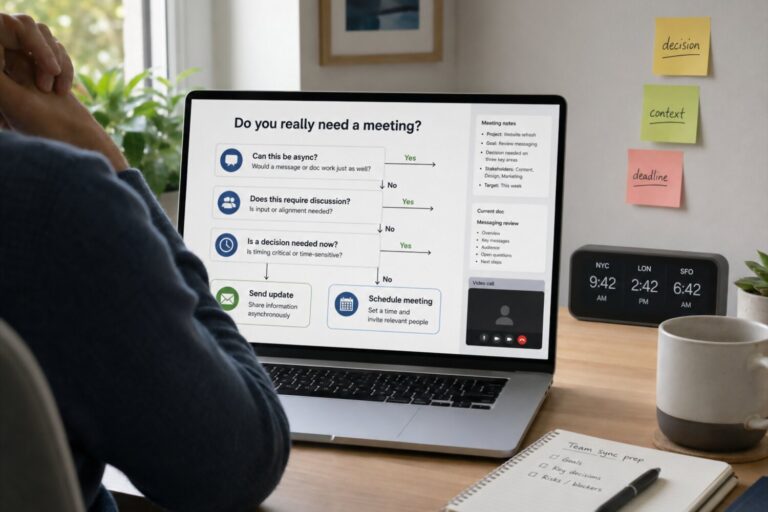
Meetings are one of the biggest hidden drains on energy in remote work. Each meeting requires context switching, which consumes cognitive resources. When meetings are scattered throughout the day, they fragment your attention and prevent deep work.
Batching communication into specific time windows is far more effective. This approach reduces interruptions and allows your brain to stay in one mode longer. Studies on attention residue show that even brief interruptions can leave part of your focus stuck on the previous task.
Reducing unnecessary meetings also improves decision quality. When communication is intentional and limited, it becomes more structured and meaningful.
Use focus sprints with intentional rest intervals
Focus sprints are short periods of intense concentration followed by deliberate rest. This method aligns with how the brain naturally sustains attention.
Here is a simple structure you can follow:
| Sprint Length | Break Length | Best Use Case |
|---|---|---|
| 25 minutes | 5 minutes | Routine tasks and light coding |
| 50 minutes | 10 minutes | Deep work and complex problem solving |
| 90 minutes | 15 minutes | Extended creative or architectural work |
These cycles prevent cognitive overload while maintaining momentum. The brain performs best in intervals rather than continuous strain.
Watch for early signs of burnout and adjust workload quickly
Burnout does not appear suddenly. It builds gradually through repeated overexertion without recovery. Early signs often include reduced motivation, increased irritability, and slower thinking.
Ignoring these signals leads to deeper exhaustion that takes longer to recover from. Adjusting workload early is far more effective than trying to recover later. This might mean rescheduling tasks, reducing commitments, or communicating limits to your team.
Energy is not infinite, and treating it that way leads to long term decline. Sustainable productivity comes from respecting those limits and adapting before damage accumulates.
Build Boundaries That Actually Hold
Boundaries are not optional in remote IT work. They are a core productivity tool. Without them, work expands into personal time, attention fragments, and stress accumulates even when output looks high. Research in organizational psychology shows that people with strong boundary control experience lower burnout and higher job satisfaction. Boundaries protect cognitive capacity, not just personal time.
Set expectations with your team about availability
Clarity removes pressure. When your team knows exactly when you are available, they are less likely to expect instant responses at all hours.
This is especially important in distributed teams across time zones. If expectations are not defined, people default to constant availability. That leads to reactive work instead of focused output. Setting clear response windows and working hours allows others to plan around you without friction.
Transparency reduces anxiety on both sides. Your teammates know when to reach you, and you avoid the stress of feeling constantly monitored.
Turn off notifications outside work hours
Notifications are designed to capture attention. Even a single alert can pull your mind back into work mode. This interrupts recovery time, which is essential for maintaining long term productivity.
Turning off notifications after work creates a clean mental break. Studies show that people who mentally detach from work during off hours experience better sleep and improved next day performance. Constant exposure to work signals keeps stress hormones elevated.
A practical approach includes:
- Disabling work apps on your phone after hours
- Muting non critical channels in communication tools
- Using scheduled notification settings when available
These actions are simple but highly effective in preserving mental energy.
Avoid the trap of always being online
Being online is not the same as being productive. Many remote workers fall into the habit of staying visible to prove they are working. This often leads to shallow activity instead of meaningful progress.
Presence without purpose creates fatigue. It encourages multitasking, constant checking, and unnecessary responsiveness. Over time, this reduces the ability to focus deeply and complete complex tasks.
Instead, measure your work by outcomes. Clear deliverables matter far more than constant availability. Teams that focus on results tend to perform better and experience less burnout.
Learn to say no or renegotiate deadlines when needed
Overcommitment is one of the fastest paths to burnout. In remote environments, it is easy to accept more work because requests come through messages rather than face to face interaction.
Saying no does not mean refusing work entirely. It often means negotiating scope, timeline, or priority. This keeps expectations realistic and prevents quality from dropping under pressure.
Here is a simple decision framework:
- Assess whether the task aligns with current priorities
- Estimate the real time required based on past experience
- Communicate constraints clearly and early
- Offer an alternative timeline or solution if needed
This approach maintains professionalism while protecting your workload from becoming unmanageable.
Keep personal and work devices or accounts separate
Separation creates clarity. When work and personal life share the same tools, boundaries become harder to maintain.
Using separate devices or accounts reduces accidental overlap. It prevents situations where you check a personal message and get pulled into work, or vice versa. This physical and digital separation reinforces mental boundaries.
Small environmental changes can have a large behavioral impact. When your tools signal a clear distinction between work and personal use, your brain adapts more easily and maintains focus within each context.
Optimize Your Remote Work Environment

Your environment silently shapes your behavior every day. In remote IT work, it replaces the structure of an office, which means it must actively support focus, comfort, and efficiency. Poor setups increase physical strain, distractions, and mental fatigue, all of which reduce productivity over time. Environmental design is not about aesthetics alone. It directly affects cognitive performance and long term health.
Invest in ergonomic equipment for long term health
Physical discomfort reduces concentration faster than most people realize. Even minor strain can pull attention away from complex tasks like coding or debugging.
Ergonomic equipment supports proper posture and reduces repetitive stress. Chairs with lumbar support, adjustable desks, and external keyboards help maintain neutral body positioning. Research in occupational health shows that poor ergonomics increases the risk of musculoskeletal issues, which are common in IT roles.
When your body is supported, your brain can focus fully. This leads to longer periods of uninterrupted work and fewer breaks caused by discomfort.
Reduce digital distractions with app blockers or minimalist setups
Digital clutter competes for your attention. Notifications, open tabs, and background apps all create micro interruptions that weaken focus.
A minimalist digital setup removes unnecessary stimuli. Closing unused applications and limiting visible tools reduces cognitive load. App blockers can prevent access to distracting sites during work periods, which strengthens discipline over time.
Effective ways to reduce distractions include:
- Keeping only essential applications open
- Using full screen mode for deep work tasks
- Blocking high distraction websites during focus hours
- Organizing files and desktop space for quick access
Each small reduction in distraction adds up to a noticeable improvement in concentration.
Maintain a clean and organized workspace
Visual clutter affects mental clarity. A disorganized desk can increase stress and make it harder to focus on complex problems.
An organized workspace creates a sense of control. It reduces the time spent searching for items and minimizes visual noise. Studies in environmental psychology show that clean spaces improve decision making and reduce cognitive overload.
Consistency matters more than perfection. Even a simple habit of resetting your workspace at the end of each day can maintain order and support focus.
Ensure reliable internet and backup solutions
Remote IT work depends heavily on stable connectivity. Interruptions caused by poor internet can break concentration and delay critical tasks.
Having a reliable connection reduces uncertainty. It allows you to engage fully in meetings, deploy code, or access remote systems without disruption. Backup options such as mobile hotspots provide security in case of failure.
Here is a comparison of common setup elements:
| Element | Primary Benefit | Risk if Missing |
|---|---|---|
| Stable internet | Continuous workflow | Frequent interruptions |
| Backup connection | Reduces downtime | Delays during outages |
| Surge protection | Protects equipment | Hardware damage risk |
Reducing technical friction keeps your workflow smooth and predictable.
Use tools that streamline collaboration without overwhelming you
Tools should simplify work, not complicate it. Many remote teams adopt multiple platforms, which can create confusion and overload.
Choosing a focused set of tools improves efficiency. It reduces the time spent switching between systems and searching for information. Clear tool usage guidelines within a team also prevent duplication and miscommunication.
When tools are aligned with your workflow, they support productivity instead of competing for attention.
Stay Connected Without Overcommitting
Connection is essential in remote IT work, but too much interaction can reduce productivity. The goal is to stay aligned with your team without sacrificing focus or energy. Research shows that balanced communication improves both performance and job satisfaction, while excessive collaboration leads to cognitive overload. Finding the right level of engagement is a skill that directly affects long term sustainability.
Build strong async communication habits
Asynchronous communication allows people to respond on their own schedule. This reduces interruptions and supports deep work.
Clear and structured messages are key. When you provide enough context, others can understand and act without needing immediate clarification. This reduces back and forth communication and saves time for everyone involved.
Well written async updates often replace meetings entirely. They allow teams to stay aligned without forcing everyone into the same time slot.
Schedule regular but purposeful check ins with your team
Regular check ins maintain alignment and prevent misunderstandings. However, they must have a clear purpose to be effective.
Meetings without structure tend to drift and consume unnecessary time. A focused agenda keeps discussions relevant and efficient. This ensures that each meeting contributes to progress rather than interrupting it.
A productive check in usually includes:
- Clear objectives defined in advance
- Time limits for each topic
- Action items assigned before the meeting ends
This approach respects everyone’s time and keeps communication meaningful.
Participate in team culture without feeling obligated to everything
Team culture matters for morale and collaboration. Informal interactions help build trust, which improves communication during complex projects.
At the same time, participating in every optional activity can become draining. Social energy is limited, just like cognitive energy. Choosing when to engage allows you to stay connected without overextending yourself.
It is more effective to participate occasionally with intention than to join everything without focus.
Create informal touchpoints to reduce isolation
Remote work can feel isolating without casual interactions. Informal touchpoints recreate some of the social dynamics of an office environment.
These do not need to be frequent or time consuming. Short conversations or occasional virtual coffee chats can strengthen relationships. Stronger connections lead to smoother collaboration and faster problem resolution.
Here is a comparison of communication types:
| Type of Interaction | Purpose | Impact on Work |
|---|---|---|
| Formal meetings | Task alignment | High structure, limited scope |
| Async updates | Information sharing | Flexible and efficient |
| Informal chats | Relationship building | Improves trust and teamwork |
Balancing these types creates a healthy communication ecosystem.
Balance collaboration time with solo focus time
Collaboration is necessary, but it should not dominate your schedule. Complex IT tasks require uninterrupted focus, which is difficult to achieve with constant interaction.
Protecting solo work time ensures that you can complete demanding tasks efficiently. At the same time, scheduling collaboration windows keeps you aligned with your team.
The key is intentional separation. When collaboration and focus are clearly defined, both become more effective and less stressful.
Keep Skills Sharp Without Overloading Yourself

Continuous learning is essential in IT, but unstructured learning can quickly turn into overload. The industry evolves rapidly, and new tools, frameworks, and practices appear constantly. Without a focused approach, it becomes easy to consume information without actually improving performance. Research in learning science shows that deliberate practice with clear goals leads to better retention than passive consumption.
Dedicate limited, consistent time for learning
Consistency matters more than intensity. Short, regular learning sessions are more effective than occasional long sessions.
When you allocate a fixed time window, learning becomes part of your routine rather than an extra burden. This prevents it from interfering with your primary work responsibilities. It also reduces the mental resistance that often comes with starting something new.
Small daily progress compounds over time. Even thirty minutes a day can lead to significant skill growth within a few months.
Focus on high impact skills relevant to your role
Not all knowledge delivers equal value. Learning should align with your current responsibilities and career direction.
For example, a backend developer benefits more from improving system design skills than from exploring unrelated technologies. Focusing on relevant areas increases the return on time invested. It also allows you to apply new knowledge immediately, which strengthens understanding.
Here is a simple way to evaluate learning priorities:
| Skill Type | Impact on Work | Priority Level |
|---|---|---|
| Core role skills | Direct daily use | High |
| Adjacent skills | Occasional use | Medium |
| Unrelated topics | Rare or no use | Low |
This structure helps prevent wasted effort and keeps learning aligned with real needs.
Avoid constant course hopping or information overload
Switching between multiple courses or topics reduces retention. Each time you change focus, your brain needs to rebuild context.
This pattern creates the illusion of progress without real mastery. It also increases cognitive load, which leads to fatigue. Studies show that focused repetition is more effective than broad but shallow exposure.
Choosing one resource and completing it fully leads to better outcomes. Depth creates confidence and practical ability.
Apply new knowledge directly to real tasks
Application is where learning becomes skill. Without practice, information fades quickly.
Using new concepts in real projects reinforces understanding. It also reveals gaps that are not obvious during passive learning. This feedback loop accelerates improvement and builds practical competence.
Ways to apply knowledge effectively include:
- Integrating new techniques into current work tasks
- Building small side projects focused on one concept
- Refactoring existing code using improved approaches
Active use transforms theory into reliable skill.
Track progress to stay motivated without pressure
Tracking progress provides direction and motivation. It helps you see improvement over time, which reinforces consistency.
At the same time, tracking should remain simple. Overcomplicated systems can create unnecessary pressure and reduce enjoyment. A basic log of completed topics or applied skills is often enough.
Progress tracking works best when it supports learning rather than controlling it. It should guide your efforts while allowing flexibility to adapt as your goals evolve.
Maintain Physical and Mental Well Being
Sustained productivity in remote IT work depends heavily on physical and mental health. Long hours at a desk, limited movement, and constant screen exposure create conditions that can gradually reduce both performance and quality of life. Research in occupational health shows that neglecting basic well being leads to higher error rates, lower concentration, and increased risk of burnout. Taking care of your body and mind is not separate from work. It directly supports your ability to perform at a high level.
Incorporate daily movement or exercise
Movement is essential for both physical and cognitive function. Sitting for extended periods slows circulation and reduces energy levels.
Regular exercise improves blood flow to the brain, which enhances focus and memory. Even light activity can have measurable benefits. Walking, stretching, or short workouts throughout the day help maintain alertness and reduce stiffness.
Simple ways to stay active during the workday include:
- Taking short walking breaks between tasks
- Stretching during breaks to reduce muscle tension
- Using standing desks for part of the day
- Scheduling exercise sessions as part of your routine
Consistency is more important than intensity when building this habit.
Prioritize sleep and consistent routines
Sleep is one of the most critical factors in cognitive performance. Poor sleep reduces attention span, slows reaction time, and increases the likelihood of mistakes.
A consistent sleep schedule supports the body’s natural rhythms. Going to bed and waking up at similar times each day improves sleep quality. This leads to better focus, decision making, and emotional stability during work hours.
Sleep deprivation accumulates over time. Even small deficits can significantly impact performance in complex technical tasks.
Practice stress management techniques
Stress is unavoidable in demanding roles, but unmanaged stress leads to long term problems. Effective stress management helps maintain emotional balance and mental clarity.
Techniques such as mindfulness, journaling, or controlled breathing can reduce stress levels. These practices help regulate the nervous system and improve resilience. Regular use of these methods can prevent stress from escalating into burnout.
Here is a comparison of common techniques:
| Technique | Primary Benefit | When to Use |
|---|---|---|
| Mindfulness | Improves focus and awareness | During or after work |
| Journaling | Processes thoughts | End of day reflection |
| Breathing | Reduces immediate stress | During high pressure tasks |
Choosing a method that fits your routine increases the likelihood of maintaining it.
Take real vacations and unplug fully
Time off is necessary for recovery. Continuing to check messages or think about work during vacation reduces its effectiveness.
Full detachment allows your brain to reset. This improves creativity and problem solving when you return. Studies show that employees who take uninterrupted vacations perform better and report higher satisfaction.
Planning time away in advance ensures that responsibilities are covered and reduces the urge to stay connected.
Seek support early if burnout symptoms persist
Ignoring early signs of burnout makes recovery more difficult. Addressing issues early leads to faster and more effective solutions.
Support can come from different sources. Talking to a manager, consulting a professional, or adjusting workload can all help. Recognizing that support is part of maintaining performance is important.
Well being is a continuous process. Paying attention to changes in energy, mood, and motivation allows you to respond before problems become severe.
Common Mistakes To Avoid
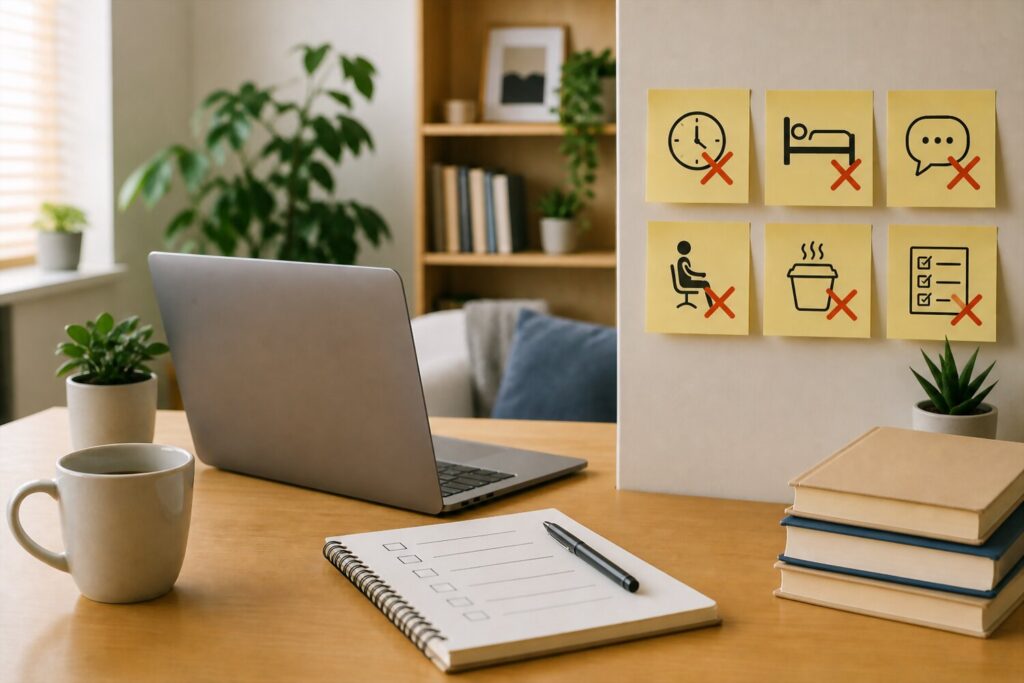
Even experienced remote IT professionals fall into patterns that reduce productivity and increase burnout risk. These mistakes often develop gradually and go unnoticed until performance declines. Recognizing them early helps maintain both efficiency and well being.
Mistake 1: Treating availability as productivity
Being constantly online may look productive, but it often leads to shallow work. True productivity comes from completing meaningful tasks, not from responding instantly to every message.
This behavior creates constant interruptions. Over time, it weakens focus and reduces the ability to handle complex problems. It also builds unrealistic expectations from others, making it harder to establish boundaries later.
Mistake 2: Skipping breaks to get more done
Working without breaks seems efficient, but it has the opposite effect. Cognitive fatigue builds up and reduces accuracy and speed.
Short breaks restore mental resources and improve problem solving. Skipping them leads to more mistakes, which require additional time to fix. This creates a cycle of inefficiency.
Rest is part of productivity, not a reward after it.
Mistake 3: Overloading your schedule with tasks
Trying to do too much in a single day leads to unfinished work and frustration. It also reduces the quality of completed tasks.
A realistic workload allows you to focus properly and deliver better results. Overloading your schedule increases stress and makes it harder to maintain consistency.
Here is a comparison of planning approaches:
| Approach | Outcome | Long Term Effect |
|---|---|---|
| Overloaded schedule | Many unfinished tasks | Increased stress and burnout |
| Balanced schedule | Fewer but completed tasks | Sustainable productivity |
Choosing quality over quantity leads to better performance over time.
Mistake 4: Ignoring physical health
Physical discomfort often starts small but grows over time. Poor posture, lack of movement, and long hours at a desk can lead to chronic issues.
These problems affect concentration and energy levels. Investing in ergonomics and regular movement prevents long term damage and supports daily performance.
Mistake 5: Consuming information without applying it
Learning without practice creates an illusion of progress. It feels productive but does not improve real skills.
Applying knowledge through projects or real tasks builds competence. Without this step, information is quickly forgotten.
To avoid this mistake:
- Focus on one topic at a time
- Practice immediately after learning
- Review and refine your approach based on results
Mistake 6: Failing to communicate boundaries clearly
Unclear boundaries lead to misunderstandings and constant interruptions. Others cannot respect limits they do not know exist.
Clear communication prevents overload and protects focus time. It also builds trust within the team.
Strong boundaries support both individual performance and team efficiency.
References
- Work–life balance overview – Explains how blurred boundaries between work and personal life in remote roles can increase stress, health risks, and burnout, directly supporting the importance of boundaries and recovery practices discussed in the article.
- Remote work benefits and challenges – Describes how remote work improves flexibility and productivity but also introduces risks like isolation, distraction, and difficulty maintaining work life balance, aligning with sections on environment and communication.
- Digital presenteeism – Defines the pressure to stay constantly online and responsive, which can lead to overwork and burnout, supporting the discussion about avoiding constant availability and setting boundaries.
- Occupational burnout – Details symptoms such as fatigue, reduced productivity, and cognitive impairment, reinforcing why energy management, rest, and early intervention are critical in remote IT work.