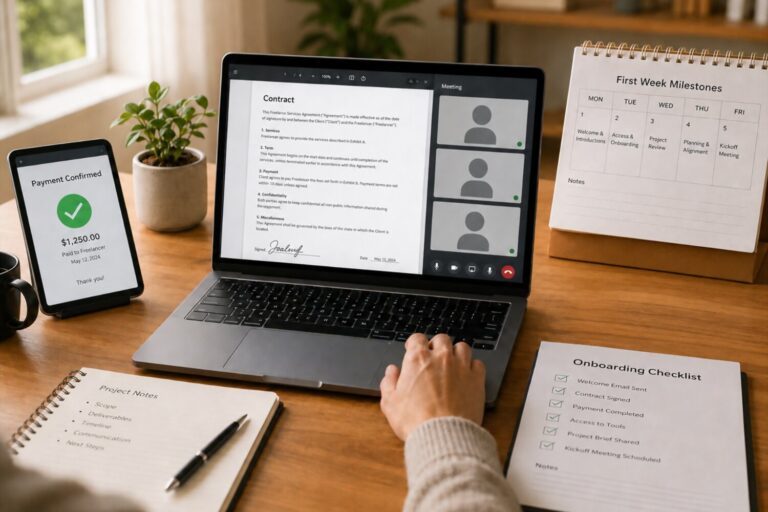
Your GitHub Is Your New Resume: Make It Recruiter Readable in 30 Seconds
Remote hiring has changed the way developers are evaluated. A traditional resume still matters, but for many technical recruiters and engineering managers, your GitHub profile is the first place where your claims become visible. It shows how you write code, how you explain ideas, how you organize projects, and whether someone could imagine working with you without sharing an office.
That is why a remote ready developer portfolio on GitHub should not look like a storage folder. It should look like a professional landing page.
A strong GitHub profile answers three questions almost immediately:
- Who are you as a developer?
- What kind of work can you do?
- How easy would it be to work with you remotely?
If a recruiter has only 30 seconds, your profile needs to guide them fast.
Start With a Clear Developer Identity
Your GitHub bio should not be vague. Phrases like “I love code” or “passionate developer” are too broad to be useful. A better bio tells visitors what you build, which technologies you use, and what type of role or collaboration fits you.
For example, instead of saying:
“I am a software developer who enjoys learning new things.”
Say something more specific:
“React and Node.js developer building clean web applications for SaaS teams and remote first startups.”
This gives instant context. It tells the reader your stack, your product area, and your career direction. For remote roles, clarity matters because hiring teams often review hundreds of candidates across different countries and time zones.
Your profile should also include practical details. Add your location or time zone if you are comfortable sharing it. Remote teams often care less about your city and more about overlap. A simple note like “Based in Warsaw, available for Central European and United States East Coast overlap” can make your profile more useful.
Create a Profile README That Works Like a Landing Page
The GitHub profile README is one of the most underused tools in a developer portfolio. It appears at the top of your profile and gives you control over the first impression.
Think of it as the homepage of your developer brand. It should be short, scannable, and focused on value.
A good profile README can include:
- A one sentence introduction
- Your main technical skills
- The kind of projects you build
- Links to your best work
- A short note about remote collaboration
- Contact information
Avoid turning your README into a wall of badges, stats, and random icons. Visual elements can help, but they should not replace substance. A recruiter is not looking for decoration. They are looking for evidence.
The best README files feel human. They explain what you do without making the reader work too hard.
Pin Repositories With Intention
Pinned repositories are prime real estate. They should not be chosen randomly. They should represent the type of work you want to be hired for.
If you want a remote frontend role, pin polished interface projects with live demos, clean component structure, responsive design, and readable documentation. If you want backend work, pin projects that show API design, database decisions, testing, authentication, and deployment awareness.
Do not pin six unfinished experiments unless your goal is to show experimentation. Curiosity is valuable, but your pinned repositories should prove capability.
Each pinned repository should have a clear purpose. A visitor should understand what the project does without opening five files. The repository name, description, README, and demo link should all work together.
A strong pinned repo description might say:
“Task management app with React, Express, PostgreSQL, authentication, role based permissions, and automated tests.”
That is much better than:
“My final project.”
Specificity creates trust.
Make Contact Easy
Many developers lose opportunities because their GitHub profile gives no clear next step. A recruiter may like your work, but if contacting you requires searching across platforms, they may move on.
Add one or two reliable contact paths. This can be your email, LinkedIn profile, personal website, or portfolio page. Keep it professional and current.
Do not make the mistake of linking to an outdated portfolio, broken demo, or inactive social profile. Every link on your GitHub profile should support your credibility. If a link does not help someone understand or contact you, remove it.
Remote opportunities often move quickly. Make the path from interest to conversation simple.
Show Remote Work Signals
A remote ready GitHub profile should show more than technical ability. It should show that you can communicate, document, and work independently.
This does not mean writing long essays in every repository. It means making your work understandable to someone who is not sitting next to you.
Add setup instructions. Explain environment variables without exposing secrets. Include screenshots. Describe the problem your project solves. Add a short section about technical decisions. Mention known limitations. Show next steps.
These details signal maturity. They tell a hiring team that you do not just write code. You make work easier for other people to understand.
In remote teams, that is a major advantage.
Keep the Profile Clean and Current
An abandoned GitHub profile can quietly damage your credibility. You do not need to commit every day, and you do not need a perfect contribution graph. But your public profile should not feel neglected.
Review your GitHub profile every month. Update your bio if your focus has changed. Replace weak pinned repositories with stronger ones. Fix broken demo links. Archive projects that no longer represent your current skill level. Refresh your README when you complete meaningful work.
Your GitHub profile is not a static resume. It is a living proof of your development habits.
The goal is not to look busy. The goal is to look clear, capable, and easy to trust.
Build Projects That Prove You Can Work Without Supervision

Remote companies do not hire developers only for their ability to write code. They hire developers who can move work forward without constant reminders, daily rescue meetings, or someone watching every step. This is why your GitHub portfolio should show more than technical skill. It should prove that you can think, plan, document, finish, and communicate.
For a remote developer, a portfolio project is not just a code sample. It is evidence of judgment.
A hiring manager looking at your GitHub profile wants to answer one important question: can this person be trusted with a task when nobody is sitting beside them?
Your projects should make the answer obvious.
Choose Projects That Look Like Real Work
Many developer portfolios are full of tutorial clones. Weather apps, basic todo lists, and copied landing pages can be useful for practice, but they rarely prove remote readiness. Remote teams want to see how you handle problems that resemble actual product work.
A stronger project has a clear user, a clear problem, and a clear outcome.
Instead of building another generic task app, create a task system for freelance designers who need client approval. Instead of building a basic blog, create a publishing dashboard with drafts, roles, image uploads, and analytics. Instead of building a simple ecommerce page, create an inventory tool for small sellers who need stock alerts and order tracking.
The difference is not always complexity. The difference is context.
A project that solves a specific problem shows that you can think beyond syntax. It shows that you understand users, constraints, and product decisions. That is exactly what remote teams need from developers who may be working across time zones.
Show the Planning, Not Just the Result
A finished app is useful, but remote employers also want to understand how you got there. In an office, people may learn your thinking through conversations. In remote work, your thinking often needs to be written down.
Your GitHub repository should include signs of planning. This can be simple. You do not need a corporate style project plan. You only need enough structure to show that you can organize your own work.
Use your README to explain what the project does, who it is for, and what problem it solves. Add a short roadmap that shows what you built first and what you would improve later. Use GitHub issues to track features, bugs, and future ideas. Add a changelog if the project has meaningful updates.
This proves that you can manage work without being spoon fed.
A developer who writes down decisions is easier to trust remotely. A developer who leaves no context forces everyone else to guess.
Build for Independence
A remote ready project should show that you can take an idea from concept to usable product. That does not mean every project must become a startup. It means the repository should show ownership from beginning to end.
Here is a practical structure you can use for one serious portfolio project:
- Define the problem in the README
- Identify the target user
- List the core features
- Explain the technical stack
- Add setup instructions
- Include screenshots or a live demo
- Write basic tests for important logic
- Track improvements with GitHub issues
- Document tradeoffs and limitations
- Add a short roadmap for future work
This structure turns a project from a code folder into a work sample. It tells a recruiter that you can receive a broad goal and turn it into organized progress.
That is one of the strongest signals for remote software development jobs.
Make Your Repository Feel Like a Small Product Team
The best GitHub portfolio projects feel like they could survive another developer joining tomorrow. That is a powerful signal.
Imagine a new teammate opens your repository. Can they understand the app quickly? Can they run it locally? Can they see what is finished and what still needs work? Can they understand why you chose certain tools?
If the answer is yes, your project already looks more professional than most portfolios.
Add a clear folder structure. Use meaningful file names. Keep configuration organized. Separate concerns when possible. Write comments where they explain intent, not obvious syntax. Include environment setup instructions. Mention required services such as databases, API keys, or local variables.
This kind of clarity matters in remote teams because onboarding happens through written information. A confusing project suggests that working with you may require too much back and forth. A clear project suggests that you respect other people’s time.
Use Commit History as Evidence of Work Habits
Your commit history does not need to be perfect, but it should not look careless. Remote teams often rely on written traces of work, and commits are one of those traces.
A good commit history shows progress. It tells a story of building, fixing, refining, and improving. Meaningful commits help reviewers understand what changed and why.
Compare these two commit messages:
“update”
“add user authentication flow”
The second message is more useful because it explains the work. It gives context. It shows discipline.
You do not need to rewrite your entire history for every personal project. But for your strongest portfolio repositories, clean commits can help you stand out. They show that you understand collaboration, even when working alone.
Include Proof That the Project Actually Works
A project that cannot be viewed, installed, or tested loses impact. Remote recruiters and engineering managers may not have time to debug your setup. Make the proof easy.
Add a live demo when possible. Include screenshots if a live demo is not practical. Record a short walkthrough and link it in the README. Add sample login details if the project has authentication and the demo supports it safely. Provide seed data when the project needs content to feel complete.
Also include clear setup instructions. A strong setup section explains requirements, installation steps, environment variables, database setup, and how to run the app.
Do not expose secrets. Do not commit private keys. Do not include real customer data. Professionalism includes knowing what should not be public.
Document Tradeoffs Like a Senior Developer
One of the easiest ways to make a portfolio project more impressive is to explain your tradeoffs. Many developers show what they built. Fewer explain why they built it that way.
A short “Technical Decisions” section can add real value. Explain why you chose a framework, why you used a certain database, why you kept the design simple, or why you skipped a feature for the first version.
This does not need to sound advanced. It needs to sound honest.
For example:
“I used PostgreSQL because the app depends on structured relationships between users, projects, and approvals.”
“I kept the first version focused on manual reporting because automated analytics would require more data than the demo currently provides.”
“I chose server side validation to keep business rules consistent even if the front end changes.”
These notes show judgment. They prove that you are not just assembling code. You are making decisions.
Avoid Projects That Create the Wrong Signal
Not every public repository helps your remote developer portfolio. Some projects can make your profile look unfocused or unfinished.
A broken demo, empty README, unclear setup, or abandoned experiment can weaken your first impression. That does not mean you must delete everything. GitHub lets you archive old projects or choose which repositories to pin. Use that control.
Your pinned projects should match your target role. If you want a remote backend job, pin repositories that show API design, data modeling, testing, and performance awareness. If you want a remote frontend job, pin projects with strong user interface decisions, accessibility, responsive layouts, and component structure.
Your GitHub profile should not say, “I tried many random things.”
It should say, “I can take ownership of meaningful work.”
Build One Flagship Project Instead of Six Forgettable Ones
A single excellent project can do more for your portfolio than six shallow ones. Remote companies value depth because depth shows endurance. It proves that you can stay with a problem after the exciting first day.
A flagship project should feel complete enough to evaluate. It should have a purpose, documentation, working features, and visible polish. It should show the kind of work you want to be paid for.
Do not build for impressiveness alone. Build for credibility. A smaller project with clear scope, clean documentation, and thoughtful execution often looks stronger than a huge project that barely works.
The best remote ready portfolio project makes a hiring manager think: this developer can receive a problem, understand the goal, make decisions, communicate progress, and deliver something usable.
The Async First Repository: Show You Can Communicate Like a Remote Pro
Remote work rewards developers who can make progress without constant meetings. Code quality matters, but communication quality often decides whether a remote team can trust you. Your GitHub repository can prove both.
An async first repository is not just a place where code lives. It is a workspace that explains itself. A recruiter, engineering manager, or future teammate should be able to open the project and understand what it does, how to run it, why decisions were made, and what still needs improvement.
This is especially important for remote developer portfolios. In a distributed team, people may review your work while you are offline. Your repository should answer questions before someone has to ask them.
Why Async Communication Belongs in Your GitHub Portfolio
Remote teams depend on written context. A developer who explains work clearly saves time for product managers, designers, reviewers, and other engineers. A developer who leaves every decision hidden inside code creates friction.
Your GitHub portfolio should show that you can communicate in a way that supports asynchronous collaboration. This means your repository should be easy to scan, easy to set up, and easy to evaluate.
When a hiring team reviews your project, they are not only judging whether the app works. They are also asking:
- Can this developer document technical work clearly?
- Can they make decisions visible?
- Can they help another person contribute without a long meeting?
- Can they explain tradeoffs honestly?
- Can they work in a remote team without creating confusion?
A strong repository makes those answers visible.
Start With a README That Reduces Guesswork
The README is the front door of your project. It should not be treated as an afterthought. For a remote ready GitHub portfolio, the README should explain the project as if the reader has no background context.
A useful README includes the project purpose, target user, main features, technology stack, setup instructions, screenshots, demo link, and current status. It should also explain any limitations that matter. Honest limitations make your work look more professional, not weaker.
Avoid vague descriptions such as “full stack app” or “project built with React.” These phrases do not help the reader understand value. A stronger description explains the problem and outcome.
For example:
Weak: “Dashboard app made with React.”
Better: “A dashboard for small agencies to track client tasks, project status, and overdue approvals.”
The second version gives context. It helps a remote reviewer understand what the project is trying to achieve before reading the code.
Add Setup Instructions That Actually Work
One of the clearest signals of remote professionalism is a setup guide that another developer can follow. If your project requires hidden knowledge, it is not async friendly.
Your setup section should explain required tools, installation steps, environment variables, database setup, test commands, and how to start the project locally. Keep the instructions current. If the project has a live demo, include the link near the top.
A good setup guide should answer practical questions:
- What version of Node, Python, Ruby, Java, or another runtime is needed?
- Which package manager should be used?
- What environment variables are required?
- Is there a sample environment file?
- How is the database created or seeded?
- How are tests run?
- What command starts the development server?
For legal and security safety, never publish private keys, real passwords, client data, paid API credentials, personal user records, or confidential company material. Use placeholder values and sample data. If the project was inspired by professional experience, describe it in general terms without exposing private business information.
Use Issue Templates to Show Organized Thinking
GitHub issues can turn a personal project into a visible work system. Even if you are the only contributor, issues show how you break down work, define problems, and track progress.
A simple issue template can help you present bugs, features, and improvements clearly. It also signals that you understand how remote teams organize work.
Example issue structure:
- Problem
- Expected behavior
- Current behavior
- Steps to reproduce
- Proposed solution
- Notes or screenshots
This structure helps reviewers see how you think. It also makes your portfolio project feel closer to real software work.
For a remote developer portfolio, this matters because remote teams often rely on issue trackers as the main source of project truth. Showing that you can write clear issues is a practical advantage.
Make Pull Requests Tell a Story
Pull requests are not only for team projects. You can use them in personal projects to show how you would communicate changes in a professional environment.
A strong pull request explains what changed, why it changed, how it was tested, and what reviewers should notice. This is valuable evidence for remote hiring because it shows that you can make your work reviewable.
A useful pull request description can include:
- Purpose of the change
- Main files or areas affected
- Screenshots for user interface changes
- Testing notes
- Known limitations
- Follow up work
This does not need to be long. It needs to be clear. A short, thoughtful pull request description is better than a large code change with no context.
Remote teams value developers who reduce uncertainty. Good pull requests do exactly that.
Create Lightweight Architecture Notes
You do not need a massive technical document for every project. But one short architecture note can make your repository stand out.
An architecture note explains how the major parts of the project fit together. It can describe the frontend, backend, database, external services, authentication flow, deployment setup, or data model.
This is useful for readers who want to understand your system without opening every file. It also shows that you can communicate technical structure in writing.
For example, you might include a short section called Architecture Overview with:
- Main application layers
- Data flow
- Authentication approach
- Database relationships
- Important technical choices
- Areas you would improve with more time
This kind of written context is powerful in remote work. It shows that you are not only building features. You are thinking about maintainability.
Explain Decisions Instead of Hiding Them
Many portfolio repositories show code but hide decision making. That is a missed opportunity.
Remote teams need developers who can explain why they chose one approach over another. Your repository can include a short Technical Decisions section that explains your tradeoffs.
For example, you could explain why you chose a relational database, why you used server side validation, why you avoided a complex state management library, or why you kept the first version simple.
The goal is not to sound perfect. The goal is to sound thoughtful.
Good decision notes often include:
- The problem you were solving
- The option you chose
- Why it made sense for the project
- What tradeoff came with it
- What you would revisit later
This shows maturity. It tells a remote employer that you can make choices, explain them, and adapt when needed.
Add Visual Context for Faster Review
Remote reviewers often scan quickly. Screenshots, short videos, diagrams, and demo links help them understand your project faster.
You can add screenshots to your README to show the main user flow. You can link a short walkthrough video if the project has several features. You can include a simple diagram that explains architecture or data flow.
Visual context is not decoration. It is communication.
A recruiter may not run your project locally. A hiring manager may only have a few minutes. Screenshots and demo links help them see the result immediately.
Make sure visuals are accurate and current. Outdated screenshots can create confusion if the app has changed.
Keep Communication Honest and Professional
An async first repository should be clear, but it should also be truthful. Do not exaggerate the project. Do not claim production usage unless the project is actually used in production. Do not present copied tutorial code as original product work. Do not imply that you built something for a client if it was only a practice project.
Honesty protects your credibility.
You can still make practice projects valuable by explaining them accurately. For example, say that a project was created to practice authentication, testing, accessibility, or API design. Then show what you learned and how you improved it beyond the basic tutorial.
Remote hiring depends on trust. A truthful GitHub portfolio is stronger than an inflated one.
Turn Your Repository Into a Remote Work Sample
An async first GitHub repository should feel like a sample of how you would work on a distributed team. It should help someone understand your thinking without needing a meeting.
The strongest remote ready repositories usually include:
- Clear README
- Working setup instructions
- Demo link or screenshots
- Issue templates
- Pull request template
- Architecture overview
- Technical decision notes
- Testing instructions
- Security safe sample configuration
- Honest project status
These details do not just make your project easier to read. They make you easier to hire. A remote team wants developers who create clarity, not confusion. Your GitHub portfolio can show that before the first interview even begins.
Turn Side Projects Into Case Studies, Not Code Dumps
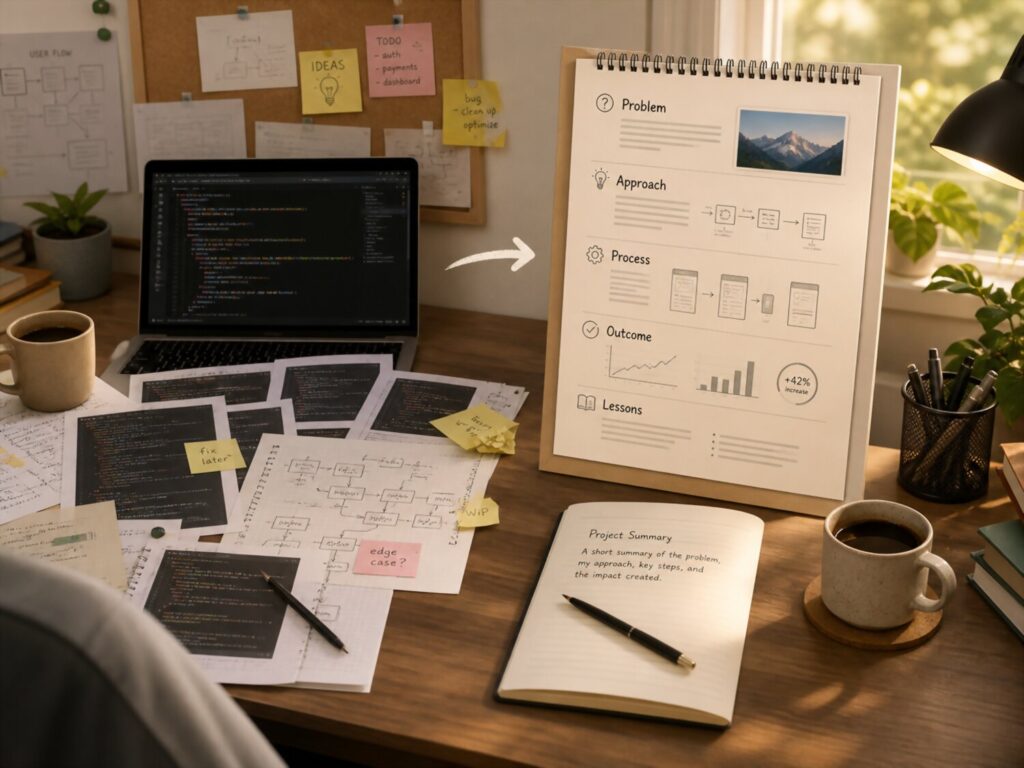
A side project can be more than proof that you know a framework. It can show how you think, how you solve problems, how you make product decisions, and how you communicate your work. This matters especially for remote developer jobs, where hiring teams need evidence that you can explain your choices without a meeting.
Many GitHub portfolios fail because they present projects as folders of code. The repository may be technically solid, but the value is hidden. A recruiter opens the page, sees a short README, scans a few files, and leaves without understanding why the project matters.
A case study changes that.
A strong developer portfolio case study turns a side project into a story. It explains the problem, the user, the constraints, the decisions, the result, and the lessons learned. It helps a hiring manager understand not only what you built, but why you built it.
Why Code Alone Is Not Enough
Code is important, but code without context is hard to evaluate quickly. Most recruiters are not going to inspect every file. Even technical reviewers may only have a few minutes before deciding whether your project deserves deeper attention.
A code dump says, “Here are my files.”
A case study says, “Here is the problem I solved, the decisions I made, and the result I delivered.”
That difference is powerful. Remote teams need developers who can create clarity. When your GitHub project explains itself, it proves that you understand async communication, documentation, product thinking, and professional ownership.
A case study also helps you stand out from developers who built similar projects. Many portfolios include dashboards, ecommerce apps, task managers, chat apps, and API projects. The project idea may not be unique. Your thinking can be.
Start With the Problem, Not the Technology
One of the biggest mistakes developers make is introducing a project by listing the tech stack first. Technologies matter, but they are not the story. The problem is the story.
Instead of opening with:
“Built with React, Node.js, and PostgreSQL.”
Start with:
“Small freelance teams often lose track of client approvals, so I built a project approval dashboard that keeps feedback, task status, and deadlines in one place.”
This instantly gives the reader context. It explains who the project helps and why it exists. After that, the technology stack becomes more meaningful because it supports a clear goal.
A strong project introduction should answer three questions:
- Who is this project for?
- What problem does it solve?
- What outcome does it create?
When you answer these questions early, your GitHub portfolio becomes easier to understand and more persuasive.
Use a Simple Case Study Structure
A case study does not need to be long. It needs to be clear. You can add it directly to your repository README, create a separate CASE STUDY file, or publish it on your personal website and link to it from GitHub.
A useful structure looks like this:
- Project overview: Explain what the project does in two or three sentences.
- Problem: Describe the pain point, user need, or learning goal behind the project.
- Target users: Identify who would use the product and what they need from it.
- Core features: List the most important features and connect them to user value.
- Technical decisions: Explain your stack, architecture, database choices, testing approach, or deployment decisions.
- Challenges: Describe the problems you faced while building and how you handled them.
- Result: Show the final product with screenshots, demo links, test coverage notes, performance notes, or usage examples.
- Lessons learned: Explain what the project taught you and what you would improve next.
This structure turns your side project into evidence of how you work.
Make Your Decisions Visible
Hiring teams are not only looking for perfect outcomes. They want to see judgment. A case study gives you space to explain why you made certain decisions.
You might explain why you used a relational database instead of a document database. You might explain why you chose server side validation. You might describe why you kept the first version small instead of adding too many features. You might discuss why you used a simple state management approach rather than a more complex library.
These details are valuable because they show that you are not randomly collecting tools. You are making decisions based on the project’s needs.
Be honest about tradeoffs. If you chose a simpler solution because the project was small, say that. If you skipped a feature because it was outside the scope of the first version, explain why. Good developers make tradeoffs. Strong candidates can explain them.
Show Screenshots, Flows, and Results
A GitHub case study should be easy to scan. Visual context helps. Add screenshots of important screens, short demo videos, or a simple user flow description.
For example, if you built a booking app, show the flow from searching availability to confirming a reservation. If you built a dashboard, show the main dashboard, filtering experience, and data view. If you built an API, include example requests and responses.
You do not need fancy design assets. You need clear evidence that the project works.
For remote developer portfolios, this is especially important because reviewers may not run your project locally. A live demo is helpful, but screenshots and walkthroughs give value even when the demo is unavailable.
Make sure every screenshot is current. Outdated visuals can create confusion and make the project look neglected.
Protect Confidential Information
A legally safe portfolio does not expose private work, client code, personal data, company secrets, or paid assets you do not have permission to use. This matters even if the project looks impressive.
If your side project was inspired by real work, keep the case study general. Do not name clients without permission. Do not publish private designs, internal documents, credentials, contracts, analytics, customer records, or proprietary business logic.
Use sample data instead of real data. Replace sensitive names with fictional examples. Check licenses before using images, icons, libraries, templates, or datasets. If a project includes third party assets, credit them properly when the license requires it.
Trust is part of remote hiring. A portfolio that respects privacy and intellectual property sends the right signal.
Turn Metrics Into Proof
Metrics can make a case study stronger, but only when they are truthful. Do not invent numbers to sound impressive. You can use honest project metrics even if the project is personal.
Useful metrics might include:
- Number of core features completed
- Test coverage for important logic
- Lighthouse performance score
- Page load improvement after optimization
- API response time in a local test environment
- Number of accessibility issues fixed
- Number of documented user flows
- Deployment uptime during testing
- Before and after bundle size
- Time saved in a simulated workflow
If you use metrics, explain their context. A local performance test is not the same as production performance. A personal demo is not the same as a live customer product. Clear context makes your claims credible.
Write Like an Editor, Not Like a Marketer
A good case study should be persuasive, but it should not sound inflated. Avoid empty phrases like “revolutionary app”, “game changing platform”, or “enterprise grade solution” unless those claims are accurate and supported.
Use precise language. Say what the project does. Say what problem it solves. Say what you built. Say what you learned.
For example:
“I added form validation on both the client and server to prevent incomplete booking requests.”
This is stronger than:
“I created a powerful validation system.”
Specific writing feels more professional. It helps technical reviewers trust your work.
Connect the Case Study to the Role You Want
Your case study should support your career direction. If you want a remote frontend role, highlight interface decisions, accessibility, responsive design, state management, component structure, and user flows. If you want a remote backend role, highlight API design, data modeling, authentication, validation, testing, and deployment. If you want a full stack role, explain how the frontend and backend work together.
Do not make every project look the same. Each case study should reveal a different strength.
One project might show clean UI development. Another might show database design. Another might show testing and maintainability. Another might show product thinking.
Together, they create a stronger GitHub developer portfolio because they show range without feeling random.
Add a Case Study Section to Every Pinned Repository
Your pinned GitHub repositories are the projects most people will see first. Each one should include at least a short case study section. It does not need to be perfect. It needs to be useful.
A simple section can include:
- What I built
- Why I built it
- Who it is for
- Key features
- Technical choices
- Main challenge
- What I would improve next
This gives the reader enough context to understand your project quickly. It also shows that you can communicate in writing, which is one of the most valuable skills in remote software development.
A side project becomes more memorable when it has a story. Code shows execution. A case study shows ownership.
Signal Professionalism With Tiny Details Most Developers Ignore
A remote ready developer portfolio on GitHub is judged by more than the main idea of your projects. Recruiters and engineering managers also notice the small details that reveal how you work. These details may seem boring, but they often separate a serious developer from someone who only uploads code when a project is finished.
Remote teams care about these signals because small habits become big issues when people work across different locations and time zones. A messy repository creates extra questions. A missing README slows down review. A broken demo wastes time. Exposed secrets create risk. Weak commit messages make collaboration harder.
Professionalism is not only about writing advanced code. It is about making your work safe, readable, maintainable, and easy to trust.
Why Small Details Matter in a GitHub Developer Portfolio
A hiring team may not have hours to study your GitHub profile. They may scan your pinned repositories, open one README, check the commit history, and review the project structure. In that short review, small details create a strong impression.
A clean repository suggests discipline. Clear documentation suggests communication skill. Tests suggest responsibility. A license file suggests awareness of open source norms. Secure configuration suggests maturity.
These details are especially important for remote developer jobs because remote teams need people who reduce friction. If your public portfolio already shows care, reviewers can imagine you bringing the same care to paid work.
1. Write Commit Messages That Explain Real Progress
Commit messages are part of your communication style. They show how you record work when nobody is watching.
A weak commit history filled with messages like “fix”, “update”, or “changes” does not provide useful context. It may be common, but it does not help another developer understand what happened.
Better commit messages describe the actual change.
Examples:
- Add user login validation
- Create project dashboard layout
- Improve error handling for payment form
- Refactor task filtering logic
- Add tests for authentication service
These messages are simple, but they tell a story. They show that you can organize work into meaningful steps.
Remote teams often review work through commits and pull requests. Your GitHub portfolio should show that you understand this habit before you join a team.
2. Keep Your README Useful and Current
A README should not be treated as decoration. It is one of the most important trust signals in your GitHub portfolio.
A strong README tells visitors what the project does, who it is for, how to run it, which technologies it uses, and what the current status is. It should also include screenshots or a demo link when possible.
Make sure the README matches the actual project. If the setup instructions are outdated, the demo link is broken, or the feature list describes work that does not exist, your credibility suffers.
A professional README is honest. It can say that a project is experimental. It can say that a feature is planned but not finished. It can say that the app is a learning project. Truthful context is better than polished exaggeration.
3. Add Tests Where They Prove Responsibility
Your portfolio projects do not need enterprise level test coverage. But adding meaningful tests can make a strong impression.
Tests show that you care about stability. They also show that you know how to protect important logic from accidental changes.
Focus on tests that matter. For a back end project, test validation, authentication logic, database operations, and API responses. For a front end project, test critical user flows, form behavior, and important components. For utility code, test edge cases.
Do not add fake or meaningless tests just to display a badge. A few thoughtful tests are better than a large test suite that does not prove anything.
If your project includes tests, make the command clear in the README. A reviewer should be able to see how to run them without guessing.
4. Use Formatting and Linting to Show Consistency
Consistent code style makes a project easier to read. It also shows that you understand team standards.
Remote teams often work with shared codebases. If every file follows a different style, collaboration becomes harder. A portfolio project with consistent formatting suggests that you can work inside a team without creating unnecessary cleanup work.
Use common formatting tools for your language or framework. For JavaScript and TypeScript projects, many developers use tools that format code and catch basic issues. For Python, Go, Java, Ruby, PHP, and other languages, similar tools exist.
You do not need to overconfigure everything. The goal is simple: your code should look intentional, not accidental.
Also avoid leaving unused files, commented out experiments, console logs, or temporary names in your strongest repositories. Small messes can make a finished project feel unfinished.
5. Make Environment Variables Safe and Clear
Security mistakes in a public GitHub portfolio can damage trust quickly. One of the most common problems is exposing secrets.
Never commit private keys, tokens, passwords, database credentials, paid API keys, personal data, client data, or private company information. Use environment variables and provide a sample file with placeholder values.
A safe configuration section can explain which variables are required without revealing real secrets.
For example, your README can say:
- Create an environment file
- Add a database connection value
- Add an authentication secret value
- Add any public API configuration needed for local development
- Use sample values only for testing
This shows that you understand basic security hygiene. It also protects you from legal and professional problems.
6. Add a License When It Makes Sense
A license tells other people what they are allowed to do with your code. Many developers forget this detail, but it matters.
If your project is public and you want others to use, copy, modify, or contribute to it, choose an appropriate open source license. If you do not include a license, people should not assume they have permission to reuse the code.
Do not copy a license blindly. Learn what it means before adding it. Some licenses are permissive. Some have stronger sharing requirements. Some projects should not be open source at all, especially if they include client work, private business logic, or material you do not fully own.
A license file shows that you take ownership and usage rights seriously. That is a valuable professional signal.
7. Use Clear Project Structure
A clean folder structure helps reviewers understand your thinking. It also makes your project easier to maintain.
Good structure depends on the stack, but the principle is the same: related files should be easy to find, names should be understandable, and the project should not feel chaotic.
Avoid vague file names like “new”, “final”, “test2”, or “copy”. Avoid mixing unrelated logic in one large file. Avoid storing old experiments beside production code in your pinned repositories.
A reviewer should be able to open your project and understand the main areas quickly. Even if the code is not perfect, clear organization shows care.
8. Check Your Demo Links Before You Pin a Project
A broken demo can weaken an otherwise strong portfolio. If you include a live link, check it regularly.
A demo should load, show meaningful content, and avoid obvious errors. If login is required, provide safe sample credentials if appropriate. If the demo depends on a server that may sleep or take time to start, mention that honestly.
Do not link to a deployment that exposes private data, admin panels, real user records, or unsafe test credentials. A public demo should be safe for public viewing.
If you cannot maintain a live demo, use screenshots, a short video walkthrough, or clear setup instructions. It is better to be transparent than to send reviewers to a broken page.
9. Add Basic Continuous Integration When It Adds Value
Continuous integration can make a portfolio project look more professional because it shows that checks run automatically. This can include tests, type checks, formatting checks, or build checks.
You do not need a complex pipeline. A simple workflow that runs tests when code changes can be enough.
A visible passing status can help, but only if the checks are meaningful. Do not add badges only for decoration. A badge should represent real quality control.
For remote teams, automated checks are part of modern collaboration. Showing that you understand them can strengthen your GitHub developer portfolio.
10. Remove Anything That Creates Doubt
Your best repositories should feel intentional. Before pinning a project, review it like a hiring manager would.
Look for things that create doubt:
- Broken links
- Empty README sections
- Missing setup instructions
- Exposed secrets
- Unclear project purpose
- Old screenshots
- Unused files
- Random commits with no meaning
- Fake claims
- Code copied from tutorials without proper context
You do not need to make every repository perfect. But the projects you pin should represent your current professional standard.
The Tiny Details Are Trust Signals
Remote hiring depends on trust before personal connection. A company may review your GitHub profile before speaking to you. That means your repositories need to communicate reliability on their own.
Professional details tell a quiet story. They say you respect the reader’s time. They say you understand collaboration. They say you know public code carries responsibility. They say you can work independently without creating unnecessary risk for a team.
The developers who stand out are not always the ones with the flashiest projects. Often, they are the ones whose work is clear, safe, organized, and easy to review.
Create a ‘Hire Me’ GitHub Funnel for Remote Roles
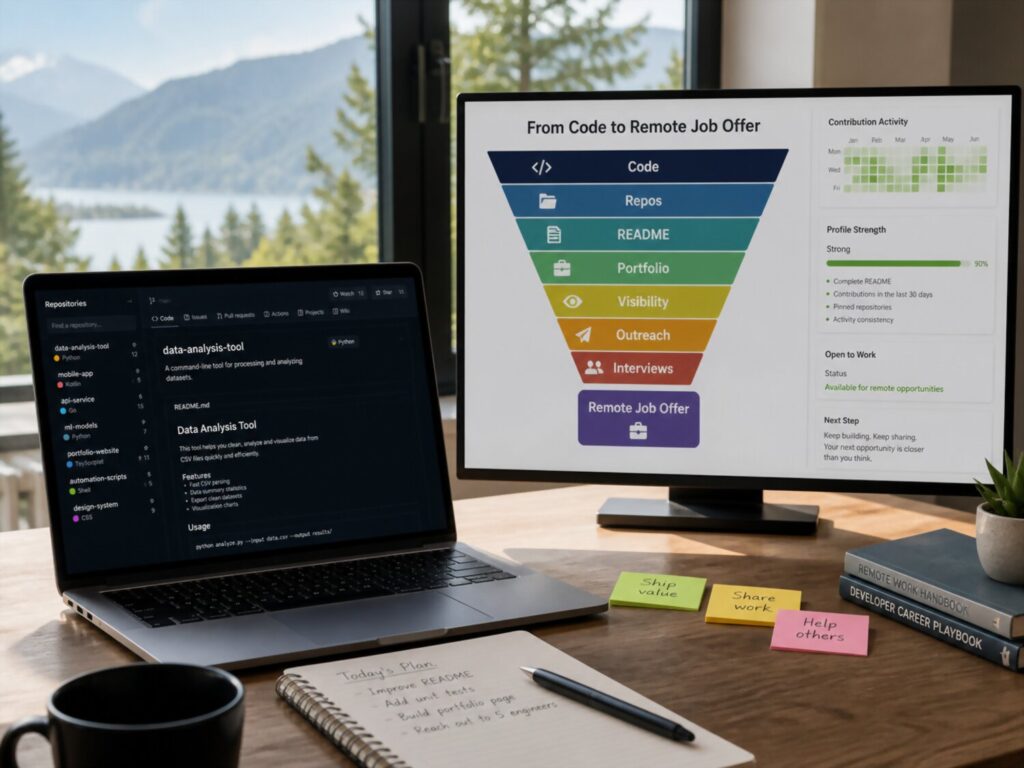
A strong GitHub portfolio should do more than display code. It should guide the right visitor toward one clear action: contacting you for remote work.
This is where many developers lose opportunities. They build useful projects, write clean code, and document their repositories, but their profile has no clear path for a recruiter, founder, or engineering manager to take the next step. The visitor has to guess what kind of role you want, whether you are available, how to reach you, and which project best represents your skill.
A remote developer portfolio works better when it behaves like a simple funnel. It attracts attention, builds trust, proves ability, and makes contact easy.
Why Your GitHub Profile Needs a Hiring Path
Remote hiring often starts with quick signals. A recruiter may find your GitHub profile through LinkedIn, a job application, an open source contribution, a community post, or a referral. When they land on your profile, they are looking for clarity.
They want to know what you build, which technologies you use, whether your work matches the role, and how to contact you. If your profile answers those questions quickly, you reduce friction. If it does not, even strong code can be overlooked.
A GitHub funnel is not about manipulation. It is about organization. You are helping the right person understand your value without forcing them to search through every repository.
Start With a Clear Profile Message
Your profile README should act as the top of your hiring funnel. It needs to tell visitors who you are and what kind of remote work you are interested in.
A weak profile message says:
“I am a developer who loves coding.”
A stronger profile message says:
“I build full stack web applications with React, Node.js, and PostgreSQL. I am interested in remote product teams that value clean interfaces, clear documentation, and async collaboration.”
The second version gives the visitor useful context. It includes your stack, your work style, and your target environment.
Your profile message does not need to be long. It needs to be specific. Mention your strongest skills, your preferred role, your main project type, and your availability if you are actively looking.
Avoid exaggeration. Do not claim senior experience if your work does not support it. Do not say you are available for full time work if you are not. Remote hiring depends on trust, and trust begins with accurate positioning.
Build a Simple Visitor Journey
A good GitHub hiring funnel guides the visitor from interest to action. You can design this journey inside your profile README and pinned repositories.
Use this ordered structure:
- Introduction Say who you are, what you build, and what kind of remote opportunity fits you.
- Best work Link to two or three strong repositories that match your target role.
- Proof Show live demos, screenshots, test notes, case studies, or meaningful contributions.
- Work style Mention how you communicate, document decisions, review code, or collaborate async.
- Contact Add one clear way to reach you, such as email, LinkedIn, or a personal website contact form.
This path helps busy reviewers. They do not have to wonder where to click next. You are making the review process easier, which is a valuable remote work signal by itself.
Choose Pinned Repositories Like a Portfolio Curator
Your pinned repositories should not be a random mix of old experiments. They should support the type of remote job you want.
If you want a front end role, pin projects that show interface quality, accessibility, responsive layouts, component structure, state management, and user experience thinking. If you want a back end role, pin projects that show API design, data modeling, validation, authentication, testing, and deployment awareness. If you want a full stack role, pin projects that show how the client, server, database, and deployment fit together.
Each pinned repository should answer a different question about your ability. One might show product thinking. Another might show testing. Another might show async documentation. Another might show open source collaboration.
Do not pin repositories that are broken, empty, confusing, or unrelated to your target role. Archive old projects if they no longer represent your current standard. Your GitHub profile is not a museum of everything you tried. It is a curated signal of what you can do now.
Add Calls to Action Without Sounding Desperate
A call to action is simply a clear next step. Developers often avoid it because they do not want to sound salesy. But clarity is not desperation.
A professional call to action might say:
“Interested in working together on a remote web product? Contact me through LinkedIn or email.”
Or:
“I am open to remote front end roles where I can build accessible, maintainable user interfaces.”
This helps the visitor understand your intent. It also filters the wrong opportunities. If you only want remote roles, say that. If you are open to contract work, say that. If you prefer product teams over agency work, say that carefully and professionally.
Keep your call to action truthful. Do not promise instant replies. Do not imply employment status that is not accurate. Do not use testimonials, logos, or client names unless you have permission.
Use Proof That Reduces Hiring Risk
A remote hiring funnel works because it reduces uncertainty. A company is not only asking, “Can this person code?” They are also asking, “Can this person communicate, deliver, and work responsibly without constant supervision?”
Your GitHub profile can answer with proof.
Useful proof includes live demos, clean READMEs, case studies, issue tracking, meaningful commits, tests, contribution history, project roadmaps, and architecture notes. If you have testimonials from clients or teammates, use them only with permission. If you mention past work, avoid sharing private code, confidential business information, customer data, internal screenshots, or restricted assets.
Public proof should be safe, accurate, and relevant.
A small project with honest proof is better than a large project with inflated claims. For example, saying “built a demo booking workflow with form validation and automated tests” is stronger than calling a personal project a “production grade booking platform” when it has no real users.
Make Contact Frictionless
A hiring funnel fails if the visitor likes your work but cannot contact you easily. Add contact details in your profile README, not only inside one repository.
Choose contact options you actually monitor. Email is direct. LinkedIn is familiar to recruiters. A personal website can work well if the contact form is reliable. Avoid sending people to inactive accounts or broken pages.
If you include an email address, use a professional address. If you link to a website, make sure it loads quickly and matches your current skills. If you use a calendar booking link, make sure the availability is current and does not expose private schedule details.
For legal and privacy safety, do not publish phone numbers, addresses, government identifiers, or private personal details unless you fully understand the risk. A public GitHub profile can be seen by anyone.
Align Your GitHub With the Rest of Your Online Presence
Your GitHub profile should match your resume, LinkedIn profile, personal website, and job applications. Inconsistent information can create doubt.
If your GitHub says you are a React developer but your resume focuses only on Python automation, the visitor may be confused. If your LinkedIn says you are looking for full time remote work but your GitHub says freelance only, that mismatch may slow down the process.
You do not need every platform to say the exact same thing. But they should support the same professional story.
Your public profiles should agree on your role, core skills, availability, location or time zone if shared, and preferred type of work.
Keep the Funnel Fresh
A GitHub hiring funnel should change as your skills and goals change. Review it regularly, especially before applying to remote developer jobs.
Update your pinned repositories when you finish stronger work. Replace outdated screenshots. Remove broken demos. Refresh your profile README. Add new skills only when you can support them with real examples. Remove claims that no longer match your direction.
A current profile shows that you are active and intentional. It also prevents missed opportunities caused by stale information.
Your GitHub profile does not need to be loud. It needs to be clear. When a visitor understands what you do, sees proof, trusts your presentation, and knows how to contact you, your portfolio has done its job.