
Zero Experience, Real Paychecks: How Beginners Are Breaking Into Remote IT Faster Than Ever
Remote IT hiring has changed in a measurable way over the past few years. Employers are no longer filtering candidates primarily by traditional credentials. Instead, they are evaluating whether someone can perform specific tasks, solve technical issues, and communicate effectively in a distributed environment. This shift is not theoretical. It is visible in job descriptions that emphasize tools, workflows, and outcomes rather than background.
The demand for digital infrastructure has expanded across industries, from healthcare platforms to financial services and SaaS companies. As a result, organizations need reliable people who can maintain systems, respond to incidents, and support users remotely. These responsibilities often do not require years of prior experience. They require competence, consistency, and the ability to learn quickly in real scenarios.
What makes this shift possible is the structure of modern IT work.
Most entry level remote IT roles are task oriented. A support specialist handles tickets using documented procedures. A QA tester follows test cases and reports bugs in a structured format. A technical support agent troubleshoots issues using internal knowledge bases and escalation paths. These workflows are teachable, repeatable, and measurable. That makes them accessible to beginners who are willing to invest time in learning practical tools and environments.
The hiring process reflects this reality. Instead of relying on credentials alone, many companies use skills based screening. Candidates may be asked to complete small technical exercises, explain how they would solve a problem, or demonstrate familiarity with specific platforms. This allows hiring teams to identify people who can contribute quickly, even if they are new to the field.
Another factor is the rise of remote first companies. These organizations are designed to operate without a physical office, which changes how they evaluate talent. Communication, documentation, and self management become more important than physical presence or prior corporate experience. Beginners who can write clearly, follow processes, and stay organized often perform well in these environments.
Here is how the expectations have shifted in practical terms:
- Companies prioritize tool familiarity over formal background
- Demonstrated problem solving outweighs theoretical knowledge
- Clear written communication is treated as a core technical skill
- Consistency and reliability matter more than past job titles
- Learning speed is often evaluated during the hiring process
There is also a structural reason beginners can enter the field more easily now. Many IT teams operate in layers. Senior engineers design systems and handle complex issues, while junior team members manage routine tasks, monitoring, and first line support. This division creates space for newcomers to contribute without being overwhelmed. Over time, they gain exposure to more advanced responsibilities.
At the same time, access to learning resources has expanded significantly. High quality documentation, interactive labs, and real world simulations are widely available. Beginners can practice ticket handling, system troubleshooting, or basic testing without needing formal employment first. This reduces the gap between learning and doing, which is exactly what employers are looking for.
The result is a hiring landscape where beginners are not excluded by default. They are evaluated based on what they can demonstrate right now. That is why individuals with no prior IT job history are securing paid remote roles. They focus on building practical capability, showing evidence of their work, and aligning with how modern IT teams actually operate.
The 5 Remote IT Jobs You Can Start From Scratch (And Why Companies Are Hiring Them Now)

Remote IT hiring has evolved in a way that favors practical capability over formal background. Many companies now prioritize candidates who can demonstrate familiarity with tools, workflows, and communication standards, even at a basic level. For beginners, this creates a narrow but very real entry point.
Below are five roles where employers consistently accept applicants who are early in their careers but capable of learning quickly and operating in structured environments.
Help Desk / IT Support Specialist
This is often the most direct entry into IT. The role centers on resolving user issues such as login failures, software errors, and connectivity problems. In a remote setup, communication happens through ticketing systems, chat platforms, and occasionally video calls.
The barrier to entry is relatively low because the work is process driven. Companies provide internal documentation, and many issues follow predictable patterns. What matters is your ability to follow instructions, document solutions, and communicate clearly with non technical users. You are not expected to know everything, but you are expected to troubleshoot methodically.
Tools commonly used include ticketing systems like Zendesk or Jira, remote desktop software, and internal knowledge bases.
Junior QA Tester
Quality assurance testing is one of the few technical roles where you can begin without writing code. Manual testers are responsible for identifying bugs, verifying features, and ensuring that software behaves as expected from a user perspective.
The work is detail oriented and repetitive at times, but it requires strong logical thinking. You will execute test cases, report defects, and collaborate with developers to reproduce issues. Beginners can enter this field by learning how software testing workflows operate and practicing on real or simulated projects.
Companies hire for this role because testing is essential but time consuming. Delegating it to junior staff allows development teams to move faster while maintaining product quality.
Technical Customer Support
This role sits between customer service and IT. You are assisting users with technical products, often software platforms or SaaS tools. Unlike general support, you are expected to understand how the system works at a functional level.
You might guide users through configuration steps, troubleshoot usage issues, or escalate technical problems to engineering teams. The work requires both technical understanding and communication clarity.
Employers value this role because it directly impacts customer retention. A user who receives clear, effective support is more likely to stay. For beginners, this creates an opportunity to enter IT while building both technical and interpersonal skills.
Data Entry and Data Operations
While basic data entry is not strictly an IT role, data operations positions often serve as a gateway into analytics and data related careers. The work involves managing datasets, ensuring accuracy, and sometimes performing simple transformations.
In more structured environments, you may use spreadsheets, databases, or internal tools to validate and organize information. Attention to detail is critical, since small errors can affect reporting and decision making.
Here is how this role typically compares to more technical paths:
| Aspect | Data Entry / Operations | Advanced Data Roles |
|---|---|---|
| Skill Level | Beginner accessible | Requires technical depth |
| Tools | Excel, Google Sheets | SQL, Python, BI tools |
| Focus | Accuracy and consistency | Analysis and insights |
| Growth Path | Gradual upskilling | Specialized expertise |
Companies hire for these roles because clean and reliable data is foundational. Even highly advanced systems depend on accurate input at the lowest level.
Junior Cybersecurity Analyst
Entry level cybersecurity roles exist, but they are more structured than other beginner paths. Most junior analysts work in monitoring environments such as Security Operations Centers. Their primary responsibility is to review alerts, identify suspicious activity, and escalate potential threats.
This is not a casual role. Even at the entry level, you are expected to understand basic networking, security principles, and common threat patterns. However, companies are willing to hire beginners who show disciplined learning and foundational knowledge.
The demand comes from the volume of security alerts modern systems generate. Organizations need staff who can filter noise from real threats. This creates consistent hiring pressure at the junior level, especially for remote capable teams.
Each of these roles exists because companies need structured, repeatable work handled efficiently. Beginners who focus on learning tools, following processes, and communicating clearly can realistically enter these positions without prior professional experience.
From Beginner to Job-Ready in 90 Days: The Skill Stack That Actually Gets You Hired
Most beginners fail not because IT is too complex, but because they learn the wrong things in the wrong order. Hiring managers are not evaluating how much you know. They are evaluating whether you can function inside real workflows with minimal supervision.
The goal is not mastery. It is operational competence.
What Employers Actually Expect From Entry-Level Candidates
At the beginner level, expectations are narrower than most people assume. You are not required to design systems or write complex code. You are expected to understand how systems behave, follow procedures, and communicate clearly when something breaks.
A candidate who understands how to navigate an operating system, interpret basic errors, and document actions taken is significantly more valuable than someone who has only consumed theory. This is why practical exposure matters more than passive learning.
The Core Foundations You Cannot Skip
Every entry level IT role builds on a small set of shared fundamentals. These are not optional.
You need a working understanding of how operating systems function, especially file structures, permissions, and system settings. Networking basics are equally important, including concepts like IP addresses, DNS resolution, and connectivity troubleshooting. These are not abstract ideas. They directly affect daily tasks such as diagnosing why a user cannot access a service.
You also need to understand how software is installed, configured, and maintained. Many beginner roles involve identifying whether an issue is user error, configuration failure, or system level fault. Without this foundation, even simple problems become difficult to interpret.
The Tools That Show You Are Job-Ready
Employers often scan for familiarity with specific tools because tools reflect workflow readiness. You do not need deep expertise, but you do need exposure.
The most relevant tools for beginners include:
- Ticketing systems such as Jira or Zendesk
- Basic SQL for querying structured data
- Spreadsheet tools like Excel or Google Sheets
- Version control platforms such as GitHub
- Testing tools or bug tracking systems for QA roles
Knowing how these tools fit into daily operations is more important than memorizing every feature. For example, understanding how a support ticket moves from creation to resolution is more valuable than knowing every setting inside the platform.
How to Structure a 90 Day Learning Path
A focused timeline prevents overlearning and keeps your effort aligned with hiring expectations.
- Days 1 to 30
Focus on core fundamentals. Learn how operating systems work, practice navigating system settings, and understand basic networking concepts. At the same time, begin using spreadsheets and simple tools to build familiarity. - Days 31 to 60
Start working with real tools. Create accounts on platforms like GitHub, explore ticketing systems through simulations or tutorials, and practice documenting tasks. This is also the stage where you begin small practical exercises, such as troubleshooting common issues. - Days 61 to 90
Shift toward job simulation. Recreate real scenarios such as handling support requests, writing test cases, or querying small datasets. Document everything you do. This becomes the foundation of your portfolio and demonstrates applied knowledge.
Avoiding the Most Common Learning Mistakes
Many beginners attempt to learn advanced topics too early. This often leads to confusion and slows progress.
Another frequent issue is passive consumption. Watching tutorials without applying the material does not build usable skill. Employers can quickly distinguish between theoretical familiarity and hands-on ability.
A more subtle mistake is ignoring communication. Even technical roles require clear written explanations. If you cannot describe what you did and why, your technical skill becomes less visible to hiring teams.
Focusing on What Actually Moves You Forward
Progress in IT is not linear, but it is structured. Each skill you build should connect to a real task performed in a job environment.
When your learning reflects actual workflows, your transition into a remote IT role becomes significantly more realistic.
No Resume? No Problem: How to Build a Portfolio That Makes Recruiters Reach Out
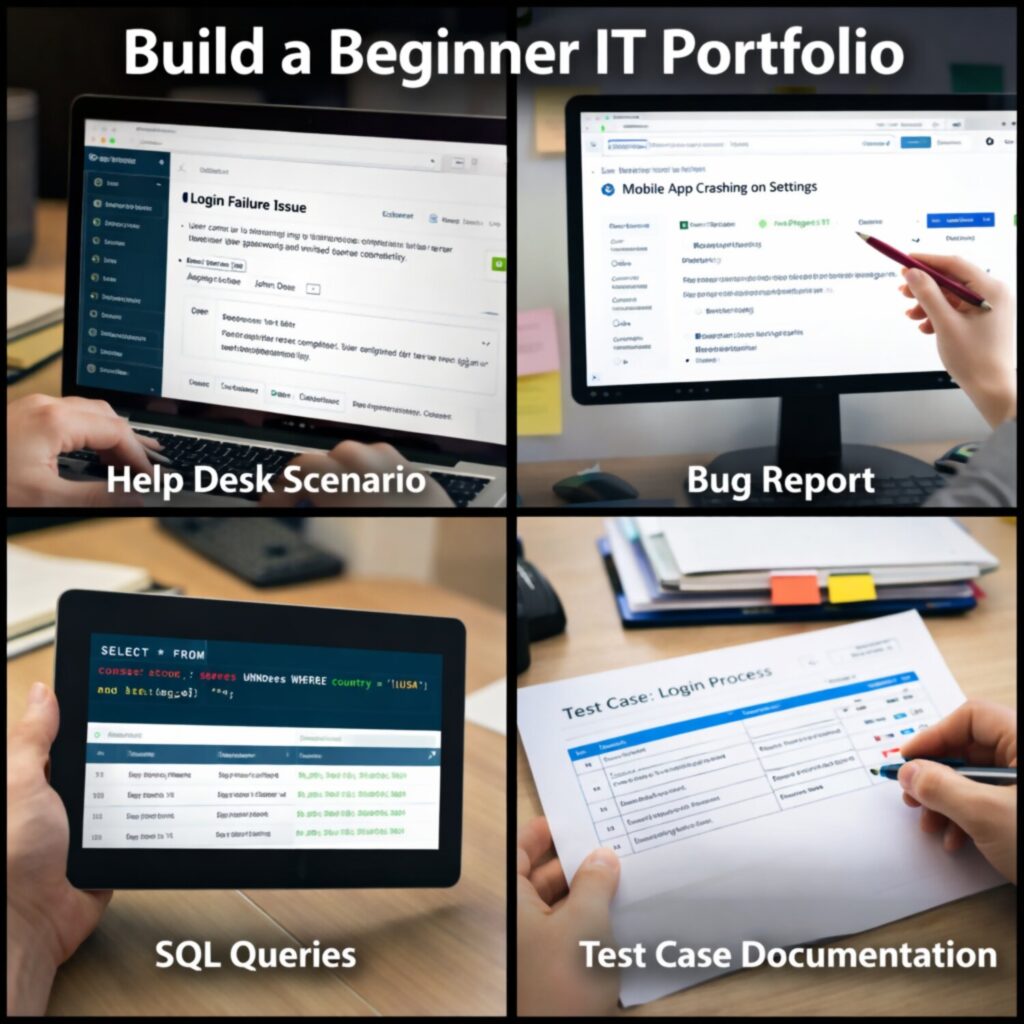
A portfolio replaces assumptions with evidence. For beginners, it is often the only way to demonstrate capability without relying on prior job titles.
Recruiters are not looking for perfection. They are looking for signals that you can perform tasks in a structured environment.
Why Portfolios Carry More Weight Than Entry-Level Resumes
Entry level resumes tend to look similar. They list courses, general skills, and tools without context. A portfolio changes that by showing how those tools were used in practice.
When a recruiter reviews a candidate with no experience, they are trying to answer a simple question. Can this person handle real tasks without constant guidance? A well structured portfolio answers that question directly.
It also reduces perceived risk. Hiring a beginner always involves uncertainty. Concrete examples of work reduce that uncertainty and make your application easier to approve.
What Counts as a Strong Beginner Portfolio
A strong portfolio is not a collection of random exercises. It is a set of focused projects that reflect real job responsibilities. Each project should simulate a scenario you would encounter in an actual role.
For example, a help desk focused portfolio might include documented troubleshooting cases. A QA focused portfolio might include test cases and bug reports. A data focused portfolio might include cleaned datasets and simple queries with explanations.
Clarity matters more than complexity. If a recruiter cannot quickly understand what you did, the value of the project drops significantly.
How to Structure Each Project for Maximum Impact
Each project should follow a consistent format so that it is easy to evaluate. This structure mirrors how work is documented in professional environments.
Recommended structure:
- Context
Describe the scenario or problem. Keep it realistic and specific. - Objective
Explain what needed to be achieved. This shows that you understand the goal, not just the task. - Steps Taken
List the actions you performed. Be precise and sequential. - Tools Used
Identify the tools or systems involved. This connects your work to industry practices. - Outcome
Show the result. Include what was fixed, improved, or discovered. - Reflection
Briefly explain what you learned or what you would improve.
This format demonstrates not only execution but also structured thinking.
Where to Host and Present Your Work
Visibility is critical. If your work cannot be easily accessed, it loses value.
Most beginners use platforms like GitHub to store and present projects. Even non coding roles can benefit from this, since documentation, screenshots, and structured explanations can all be hosted there. A simple personal website can also be used, but it is not mandatory.
What matters is organization. Projects should be clearly labeled, easy to navigate, and written in plain language. Avoid unnecessary complexity in presentation.
Turning Practice Into Credible Experience
Not all experience needs to come from employment. Simulated work, volunteer tasks, and self initiated projects can all be valid if they reflect real workflows.
The key distinction is realism. If your project mirrors how tasks are performed in an actual company environment, it carries weight. If it feels artificial or disconnected from real use cases, it is less persuasive.
You can create credibility by documenting constraints, decisions, and outcomes. For example, instead of simply fixing an issue, explain how you identified it, why you chose a specific approach, and what the result was.
This level of detail signals readiness more effectively than any claim on a resume.
The Remote Job Playbook: Where Beginners Actually Get Hired (And How to Stand Out Fast)
Finding a remote IT job as a beginner is less about luck and more about positioning. The number of applicants is high, but most are filtered out early due to lack of clarity, weak targeting, or poor communication.
The process is competitive, but predictable.
Where Beginners Are Actually Getting Hired
Not all job platforms operate the same way. Some are saturated with applicants, while others focus on niche talent pools or specific types of roles. Beginners tend to succeed more often in environments where hiring managers expect early stage candidates.
General job boards like LinkedIn and Indeed are widely used, but they require precise filtering. Remote specific platforms often provide better alignment, especially for support, QA, and junior technical roles. Smaller company career pages are also significant, since many startups hire directly without heavy competition from large applicant pools.
Consistency matters more than volume. Applying to a high number of irrelevant roles reduces your effectiveness and makes it harder to track progress.
How to Tailor Applications for Remote IT Roles
Remote hiring introduces additional evaluation criteria. Employers are not only assessing technical ability but also how you function without direct supervision.
Your application should reflect this. Generic resumes and cover letters are easy to identify and are often ignored. Instead, align your skills and projects directly with the responsibilities listed in the job description. Use the same terminology when appropriate, especially for tools and workflows.
Clarity is critical. Hiring managers spend limited time on each application, so your value needs to be immediately visible.
What Makes a Beginner Stand Out Quickly
Standing out does not require advanced expertise. It requires alignment with what employers need at the entry level.
Key differentiators include:
- Clear documentation of practical projects
- Familiarity with common tools used in the role
- Evidence of structured problem solving
- Consistent communication style across resume and portfolio
- Ability to explain decisions, not just actions
These signals reduce the uncertainty associated with hiring a beginner. When uncertainty decreases, hiring decisions become easier.
Interview Dynamics for Entry-Level Remote Roles
Interviews at this level are not designed to test deep technical knowledge. They are designed to assess how you think, communicate, and respond to unfamiliar situations.
You may be asked to walk through a past project, explain how you would approach a hypothetical issue, or describe how you handle ambiguity. The goal is to observe your reasoning process.
In remote environments, communication becomes even more important. Written clarity, structured answers, and the ability to stay concise all influence hiring decisions. Even technically capable candidates can be rejected if they struggle to explain their thinking.
Common Mistakes That Quietly Eliminate Candidates
Many applicants are filtered out before reaching interviews. These mistakes are often subtle but consistent.
| Mistake | Why It Matters |
|---|---|
| Applying without role alignment | Signals lack of focus and reduces credibility |
| Listing tools without context | Does not demonstrate actual ability |
| Overstating skills | Leads to breakdown during interviews |
| Poorly structured portfolio | Makes evaluation difficult for recruiters |
| Weak communication | Critical issue in remote environments |
These issues are preventable. Addressing them improves not only your chances of being noticed but also your ability to move forward in the hiring process.
Recruiters and hiring managers are not expecting perfection. They are evaluating readiness, reliability, and the likelihood that you can integrate into a remote workflow without friction.
The First 30 Days on the Job: How Beginners Survive and Prove They Belong in Remote IT

Getting hired is only the transition point. The first month determines whether you are seen as reliable or replaceable.
Most beginners underestimate this phase.
What Your Manager Is Actually Evaluating
During the first 30 days, expectations are not centered on technical depth. Managers are observing behavior patterns. They want to see how you approach unfamiliar tasks, how you communicate blockers, and how quickly you adapt to internal systems.
You are being evaluated on consistency. Not brilliance.
A beginner who asks clear questions, documents actions, and follows processes precisely will often outperform someone with stronger technical skills but poor discipline. Remote environments amplify this difference because visibility is limited and communication becomes the primary signal of competence.
The Critical Habits That Build Trust Early
Trust is built through small, repeated actions. These habits are simple but not optional.
- Respond to messages within a reasonable timeframe
- Acknowledge tasks even if you cannot complete them immediately
- Document what you do in a clear and structured way
- Ask questions after attempting to solve the issue yourself
- Confirm when tasks are completed and explain what was done
Each of these behaviors reduces uncertainty for your team. When uncertainty decreases, your perceived reliability increases.
Understanding Internal Workflows Quickly
Every company has its own systems, even for common tools. Learning how work flows inside the organization is more important than mastering the tools themselves.
You need to understand how tickets are assigned, how issues are escalated, and how decisions are documented. This requires active observation. Reading internal documentation helps, but real understanding comes from tracking how tasks move from start to finish.
In remote IT roles, workflows are often tightly structured. Deviating from them, even with good intentions, can create confusion. Following the established process is part of demonstrating competence.
Common Early Mistakes and Their Impact
The first month exposes predictable mistakes. These are rarely technical failures.
| Behavior | Impact |
|---|---|
| Staying silent when confused | Delays work and signals disengagement |
| Asking vague questions | Increases time required for others to help |
| Skipping documentation | Creates gaps in team visibility |
| Overcommitting on tasks | Leads to missed expectations |
| Ignoring feedback | Suggests inability to adapt |
These patterns are closely monitored, even if not explicitly stated.
How to Position Yourself as a Reliable Contributor
Reliability is built through clarity and follow through. You should aim to make your work easy to understand by others. This includes writing clear updates, organizing information logically, and maintaining consistency in how you report progress.
Precision matters more than speed in the early stage. Rushing through tasks without fully understanding them often leads to rework, which reduces confidence in your output.
You should also begin identifying patterns in your work. Repeated issues, common solutions, and frequently used tools all contribute to faster execution over time. Recognizing these patterns signals that you are moving beyond basic task execution into structured thinking.
Managers do not expect immediate independence. They expect visible progression.