
Fastest Entry-Level Remote IT Jobs You Can Get Now
Breaking into IT no longer requires years of experience or a physical office presence. Many companies are actively hiring beginners for remote roles that focus on support, testing, and basic operations. These positions prioritize practical skills, reliability, and the ability to learn quickly over formal experience.
Help Desk Technician
A Help Desk Technician is often the first point of contact when users experience technical issues. In a remote setting, you assist employees or customers through chat, email, or video calls. Your main responsibility is to diagnose problems, guide users step by step, and either resolve the issue or escalate it to higher-level teams. Typical tasks include resetting passwords, troubleshooting software errors, assisting with login issues, and ensuring devices connect properly to networks or systems.
This role builds a strong foundation in IT because you are exposed to a wide variety of real-world problems. You also develop communication skills by translating technical concepts into simple instructions that non-technical users can understand.
Required knowledge:
- Basic understanding of Windows, macOS, and common software applications
- Familiarity with networking basics such as WiFi and IP addresses
- Ability to use remote desktop tools
- Understanding of ticketing systems and issue tracking
- Strong written and verbal communication skills
- Basic cybersecurity awareness such as password safety and phishing
IT Support Specialist
An IT Support Specialist handles more in-depth technical issues compared to help desk roles. While there is overlap, this position often involves maintaining systems, configuring software, and ensuring overall IT operations run smoothly. In a remote job, you might manage company devices, deploy updates, or assist with onboarding new employees by setting up their accounts and access permissions.
This role often includes working with internal teams, which means you need to understand business tools and workflows. It is a natural next step from help desk work but is still accessible at the entry level with the right preparation.
Required knowledge:
- Solid understanding of operating systems and system configuration
- Familiarity with user account management and permissions
- Knowledge of common business tools such as Microsoft 365 or Google Workspace
- Basic scripting or automation concepts
- Understanding of hardware components and troubleshooting
- Experience with remote management tools
Junior QA Tester
A Junior QA Tester focuses on ensuring software works correctly before it reaches users. In a remote environment, you test websites, apps, or software systems by following test cases and reporting bugs. Your job is to identify errors, document them clearly, and help developers understand what needs to be fixed.
This role is especially attractive for beginners because it does not require coding at the start, although learning basic programming can help you grow faster. Attention to detail is critical, as even small bugs can impact user experience.
Required knowledge:
- Understanding of software testing basics and test case execution
- Ability to document bugs clearly and accurately
- Familiarity with testing tools and bug tracking systems
- Basic knowledge of how web and mobile applications work
- Analytical thinking and attention to detail
- Optional knowledge of basic coding concepts
Technical Support Representative
A Technical Support Representative works directly with customers, helping them resolve product-related issues. This role is common in SaaS companies and often fully remote. You guide users through troubleshooting steps, explain product features, and ensure they can use the software effectively.
Unlike internal IT roles, this job focuses heavily on customer satisfaction. You are not just fixing problems but also helping users understand how to get the most value from the product.
Required knowledge:
- Strong communication and customer service skills
- Understanding of the product or platform being supported
- Ability to troubleshoot software and user errors
- Familiarity with CRM and support tools
- Basic technical knowledge depending on the product
- Ability to handle multiple conversations and prioritize tasks
Data Entry and IT Operations Assistant
This role combines administrative work with basic IT responsibilities. You may be responsible for updating databases, managing system records, and supporting IT teams with routine tasks. While it may sound simple, it is often a gateway into more technical roles because you gain exposure to systems, workflows, and data management.
In remote environments, accuracy and consistency are key. Companies rely on clean data to make decisions, so attention to detail is highly valued.
Required knowledge:
- Strong typing and data accuracy skills
- Familiarity with spreadsheets and databases
- Basic understanding of IT systems and workflows
- Ability to follow structured processes
- Time management and organization skills
- Basic knowledge of data privacy practices
Junior System Administrator
A Junior System Administrator assists in maintaining servers, networks, and IT infrastructure. In a remote role, you may monitor system performance, apply updates, and help manage cloud-based environments. This position introduces you to backend systems and is ideal for those interested in infrastructure or cloud computing.
Although it sounds advanced, many companies hire beginners who have foundational knowledge and are eager to learn. You will often work under supervision while gaining hands-on experience.
Required knowledge:
- Basic understanding of servers and operating systems
- Knowledge of networking fundamentals
- Familiarity with cloud platforms such as AWS or Azure
- Understanding of system monitoring tools
- Basic scripting knowledge
- Problem-solving and analytical thinking
Customer Success Associate for SaaS
A Customer Success Associate ensures clients achieve their goals using a company’s software. This role blends technical understanding with relationship management. You onboard new users, provide guidance, and help prevent issues before they happen.
In remote IT environments, this role is growing quickly because companies want to retain customers and improve user experience. It is less technical than system roles but still requires a strong understanding of software products.
Required knowledge:
- Strong communication and relationship-building skills
- Understanding of SaaS platforms and workflows
- Ability to explain technical features in simple terms
- Familiarity with customer success tools and dashboards
- Problem-solving mindset
- Basic technical troubleshooting skills
Comparison of Entry-Level Remote IT Jobs
| Job Role | Technical Level | Customer Interaction | Growth Potential | Typical Tasks Complexity | Best For Beginners |
|---|---|---|---|---|---|
| Help Desk Technician | Low to Medium | High | High | Basic to Moderate | Yes |
| IT Support Specialist | Medium | Medium | Very High | Moderate | Yes |
| Junior QA Tester | Low to Medium | Low | High | Moderate | Yes |
| Technical Support Representative | Low to Medium | Very High | High | Basic to Moderate | Yes |
| Data Entry and IT Assistant | Low | Low | Medium | Basic | Yes |
| Junior System Administrator | Medium | Low | Very High | Moderate to Advanced | Yes |
| Customer Success Associate | Low to Medium | Very High | High | Moderate | Yes |
What Skills You Need to Get Hired Quickly

Landing a remote IT job at the entry level is less about memorizing theory and more about proving you can solve real problems. Employers want candidates who can learn fast, communicate clearly, and handle common technical situations independently. The following skills are among the most valuable and accessible for beginners.
Basic Troubleshooting and Problem Solving
Troubleshooting is the core of nearly every IT role. You will be expected to identify issues, test possible solutions, and resolve problems efficiently. This could involve anything from fixing login errors to diagnosing software crashes. Strong problem solving means thinking logically, asking the right questions, and narrowing down possible causes.
You can learn and practice troubleshooting here:
- Coursera offers beginner IT troubleshooting courses
- Google Career Certificates includes hands-on labs
- Microsoft Learn provides free interactive modules
Understanding of Operating Systems and Networks
Most entry-level IT jobs require familiarity with operating systems like Windows and macOS, along with basic networking concepts. You should understand how systems function, how devices connect to networks, and how to handle common connectivity issues. This knowledge helps you support users and maintain stable systems.
You can build this skill here:
- Cisco Networking Academy offers networking basics
- Udemy has practical OS and networking courses
- Khan Academy explains core computing concepts
Familiarity with Ticketing Systems and Remote Tools
Remote IT teams rely heavily on ticketing systems to track issues and manage workflows. You will need to understand how to create, update, and resolve tickets while communicating clearly with users. Remote desktop tools are also essential for accessing and fixing systems from a distance.
You can learn these tools here:
- Zendesk provides training resources and guides
- Freshdesk offers tutorials and demo environments
- TeamViewer has free guides for remote support
Intro to Cloud Platforms and Cybersecurity Basics
Cloud computing and cybersecurity are two of the fastest-growing areas in IT. Even for entry-level roles, having a basic understanding of how cloud services work and how to protect systems from threats gives you a major advantage. You should know concepts like data protection, user authentication, and safe browsing practices.
You can start learning here:
- Amazon Web Services offers free beginner training
- Google Cloud provides introductory courses
- Cybrary focuses on security fundamentals
Communication Skills for Remote Work
Remote IT jobs depend heavily on clear communication. You will often explain technical issues to non-technical users, write support messages, and collaborate with teammates across time zones. Strong communication helps prevent misunderstandings and speeds up problem resolution.
You can improve communication skills here:
- LinkedIn Learning offers business communication courses
- Coursera includes remote work communication programs
- edX provides professional development courses
Time Management and Self Discipline
Working remotely requires the ability to manage your own schedule and stay productive without direct supervision. Employers look for candidates who can prioritize tasks, meet deadlines, and stay organized throughout the day. This skill is critical for handling multiple tickets or responsibilities at once.
You can develop this skill here:
- Todoist helps organize daily work
- Trello teaches workflow management
- Skillshare offers productivity and time management classes
How to Land Your First Remote IT Job
Getting your first remote IT job is less about having years of experience and more about showing that you can do the work reliably. Employers hiring for entry-level roles are looking for practical skills, consistency, and the ability to learn quickly in a remote environment. The process becomes much easier when you focus on a few key actions that directly increase your chances.
Build a Focused Resume That Highlights Real Skills
A common mistake beginners make is creating a generic resume filled with vague statements. Instead, your resume should clearly show what you can actually do. Even without job experience, you can include hands-on practice, labs, or personal projects.
For example, instead of saying you understand troubleshooting, describe a specific situation where you fixed an issue. If you practiced setting up a virtual machine or resolving network errors, include that. Keep your resume clean, easy to scan, and tailored to IT roles.
Focus on sections such as technical skills, tools you have used, and practical experience. Recruiters often spend only a few seconds reviewing a resume, so clarity matters more than length.
Get Beginner Certifications That Employers Recognize
Certifications are one of the fastest ways to prove your knowledge without formal experience. They show that you understand core concepts and are serious about entering the field.
Popular beginner certifications include CompTIA A+ and Network+, as well as the Google Career Certificates IT Support certificate. These programs are designed for beginners and often include practical exercises.
You do not need multiple certifications to start. One solid certification combined with hands-on practice is usually enough to qualify for entry-level roles.
Create a Simple Portfolio That Shows What You Can Do
Even for non-developer roles, a portfolio can make a big difference. It does not need to be complex. The goal is to demonstrate that you have applied your knowledge in real situations.
You can include examples such as troubleshooting scenarios you solved, systems you configured, or testing reports you created. If you are interested in QA, document how you tested a website and identified bugs. If you are aiming for support roles, show how you handled common IT issues.
A portfolio gives employers proof of your ability, which is often more valuable than experience listed on paper.
Apply Strategically Instead of Randomly
Sending dozens of applications without direction rarely works. Instead, focus on roles that match your current skill level and tailor each application.
Read job descriptions carefully and adjust your resume to highlight the most relevant skills. Use keywords from the listing, especially for tools and responsibilities. This increases your chances of passing automated screening systems.
Prioritize companies that regularly hire remote entry-level talent, such as SaaS businesses, tech startups, and support-focused organizations.
Prepare for Common Technical and Behavioral Interviews
Once you start getting responses, preparation becomes critical. Entry-level IT interviews usually focus on basic technical knowledge and how you approach problems.
You may be asked how you would troubleshoot a slow computer, fix internet connectivity issues, or handle a frustrated user. Interviewers are not expecting perfect answers. They want to see your thought process and communication style.
Behavioral questions are just as important. Be ready to explain how you manage time, learn new skills, and work independently. Remote employers want people who can stay productive without constant supervision.
Practicing answers out loud and reviewing common scenarios can significantly improve your confidence and performance during interviews.
High-Demand Remote IT Roles That Don’t Require Experience
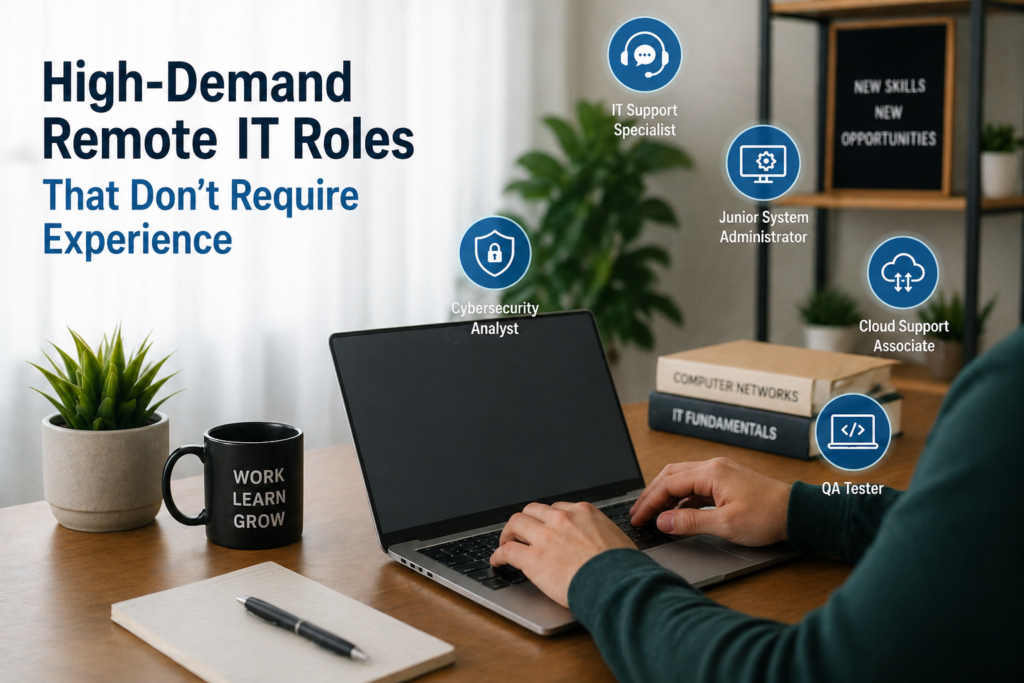
Many people assume that IT careers demand years of technical background. That is no longer true. Companies are actively hiring beginners for remote roles that focus on learning, adaptability, and consistent performance rather than deep expertise.
Entry Level Cybersecurity Analyst
This role introduces you to the world of digital security. As a beginner, you are not expected to defend entire systems alone. Instead, you monitor alerts, review logs, and help identify unusual activity. You might analyze login attempts, flag suspicious behavior, or assist senior analysts with investigations. The work requires attention to detail and a strong sense of responsibility because even small issues can become serious threats.
Cybersecurity is growing rapidly because businesses need to protect data and systems. Many entry level roles are designed as training positions where you learn on the job. You will gradually build knowledge about threats, vulnerabilities, and prevention techniques while working with real systems.
Typical responsibilities include:
- Monitoring security dashboards and alerts
- Reviewing system logs for unusual activity
- Assisting with basic incident response
- Learning security tools and frameworks
- Reporting findings clearly to the team
Junior Cloud Support Associate
Cloud computing powers most modern applications. A Junior Cloud Support Associate helps maintain and troubleshoot cloud based systems. This role is ideal for beginners because many companies provide structured onboarding and training. You might assist with user access, monitor system performance, or help resolve service disruptions.
At the start, your tasks are usually guided and repetitive. Over time, you begin to understand how cloud environments operate and how services connect. This creates strong career growth opportunities in cloud engineering or DevOps.
The role combines technical knowledge with problem solving. You will often work with tickets, communicate with users, and collaborate with engineers. Learning platforms like AWS or Google Cloud can give you an early advantage.
IT Operations Coordinator
This position focuses on keeping internal IT processes running smoothly. It blends administrative tasks with light technical work. You may coordinate system updates, track IT assets, manage documentation, and ensure that tasks are completed on schedule.
Sometimes the job feels more organizational than technical. That is actually an advantage for beginners. It allows you to understand how IT departments function without being overwhelmed by complex systems. You gain exposure to workflows, tools, and communication between teams.
Over time, this role can lead to more specialized paths such as system administration or project management. It is a strong starting point for those who enjoy structure and coordination.
Software Support Specialist
A Software Support Specialist works closely with users of a specific application. Instead of handling general IT issues, you focus on one product or platform. You help users solve problems, understand features, and navigate the software effectively.
This role requires patience and clear communication. Many issues are not technical failures but user misunderstandings. You guide users step by step, often simplifying complex features into easy instructions. This makes the role a mix of technical knowledge and customer support.
Below is a simple breakdown of what makes this role appealing:
| Aspect | Details |
|---|---|
| Learning curve | Moderate and structured |
| Technical depth | Focused on one product |
| Communication need | High |
| Growth potential | Strong within SaaS companies |
Remote QA Automation Trainee
This role is a stepping stone into more advanced testing careers. As a trainee, you start by learning how automated testing works. You may assist in running scripts, reviewing results, and gradually writing simple test cases.
At first, your responsibilities are limited. You focus on understanding tools and workflows rather than building complex systems. Over time, you gain experience with automation frameworks and basic coding concepts. This opens the door to higher paying QA or development roles.
Automation testing is especially valuable because it combines technical skills with practical application. Companies prefer candidates who can grow into automation roles, which makes this position a smart entry point.
Key areas you will work with:
- Understanding test automation tools
- Running and analyzing test scripts
- Learning basic programming concepts
- Identifying and documenting bugs
- Collaborating with developers and testers
Best Platforms to Find Remote IT Jobs
Finding the right platform can significantly speed up your job search. Not all job boards are equal, especially when it comes to remote entry level IT roles.
Dedicated Remote Job Boards
Some platforms specialize entirely in remote work. These sites filter out non remote listings, which saves time and helps you focus only on relevant opportunities. A strong example is We Work Remotely, which features a wide range of tech support and junior IT roles. Another popular option is Remote OK, known for its clean interface and frequent updates.
These platforms are especially useful for beginners because they often include companies that are already comfortable hiring remote workers. This increases your chances of finding roles that do not require prior office experience.
Tech Focused Hiring Platforms
General job boards can feel overwhelming. Tech focused platforms narrow the search by listing roles specifically in IT and software related fields. Websites like AngelList Talent connect candidates with startups that are more open to hiring entry level talent. Another option is Dice, which is dedicated to technology jobs.
Startups, in particular, tend to value skills and potential over formal experience. This makes them a strong target for beginners entering the remote IT job market.
Freelance Marketplaces for Beginners
Freelance platforms offer a different path into IT. Instead of applying for full time roles, you can take on small projects and build experience. Sites like Upwork and Fiverr allow you to offer services such as basic tech support, troubleshooting, or QA testing.
At first, the pay may be lower. However, these platforms help you gain real world experience, client feedback, and confidence. Over time, this can translate into stronger job applications and better opportunities.
Freelancing is often the fastest way to move from zero experience to practical experience.
Company Career Pages with Remote Filters
Many companies post jobs only on their own websites. This means you can miss opportunities if you rely solely on job boards. Visiting career pages directly allows you to apply early and avoid competition from large applicant pools.
Focus on companies in SaaS, cloud services, and tech support industries. These businesses frequently hire remote entry level roles. Use filters or search terms like remote or work from home when browsing listings.
Online Communities and Networking Groups
Not all jobs are publicly listed. Some of the best opportunities come through networking and community engagement. Platforms like LinkedIn and Reddit host active communities where people share job openings, advice, and referrals.
Being active in these spaces can make a difference. Commenting on posts, asking questions, and connecting with professionals increases your visibility. Over time, this can lead to referrals or direct job offers.
Platform Comparison Overview
| Platform Type | Best For | Difficulty Level | Entry Level Friendly |
|---|---|---|---|
| Remote Job Boards | Direct remote roles | Low | Yes |
| Tech Hiring Platforms | Startup and tech jobs | Medium | Yes |
| Freelance Marketplaces | Gaining experience quickly | Medium | Yes |
| Company Career Pages | Targeted applications | Medium | Yes |
| Online Communities | Networking and hidden jobs | Medium | Yes |
Certifications and Courses That Boost Your Chances
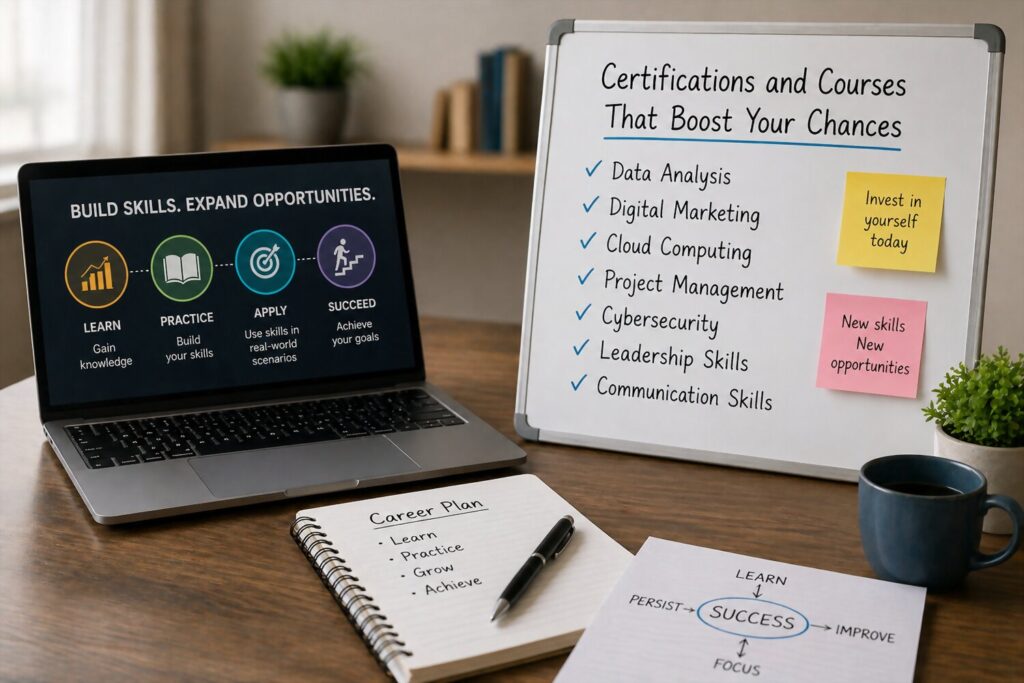
Certifications can quickly validate your skills and make your application stand out. For entry level remote IT jobs, they often replace formal experience in the eyes of employers.
CompTIA A Plus and Network Plus
The CompTIA A Plus certification is one of the most recognized starting points in IT. It covers essential topics like hardware, troubleshooting, operating systems, and security basics. This makes it highly relevant for help desk and support roles.
Network Plus builds on that foundation by focusing on networking concepts. You learn how devices communicate, how to troubleshoot connectivity issues, and how to manage network environments. Many employers consider these certifications a strong signal that you understand real world IT tasks.
These certifications require study and practice, but they are achievable within a few months. Many candidates use online courses and labs to prepare.
Google IT Support Professional Certificate
The Google IT Support Professional Certificate is designed specifically for beginners. It covers troubleshooting, system administration, networking, and security in a structured way. The program includes hands on labs, which makes it more practical than theory based courses.
This certification is widely recognized and often recommended for people starting from zero. It also introduces you to tools and workflows used in real IT environments. Many learners use it as their first step before applying for jobs.
One of the biggest advantages is that it combines multiple skill areas into one program.
Microsoft Fundamentals Certifications
Microsoft offers beginner friendly certifications through its Microsoft Learn platform. These include topics like cloud basics, data fundamentals, and security concepts. They are shorter and more focused compared to other certifications.
These certifications are especially useful if you want to work with business tools such as Microsoft 365 or Azure. Many companies rely on Microsoft ecosystems, which makes this knowledge directly applicable in the workplace.
AWS Cloud Practitioner
Cloud knowledge is becoming essential in IT. The AWS Cloud Practitioner certification introduces you to cloud computing concepts, services, and pricing models. It is designed for beginners and does not require prior experience.
This certification helps you understand how modern systems are built and maintained. Even for support roles, knowing how cloud platforms work can give you an advantage over other candidates.
Beginner Cybersecurity Certifications
Cybersecurity is a fast growing field with many entry points. Beginner certifications help you understand threats, vulnerabilities, and basic defense strategies. Platforms like Cybrary and ISC2 offer accessible training and certifications.
These programs often focus on practical knowledge. You learn how to recognize risks, follow security best practices, and support secure systems.
Popular Certification Comparison
| Certification | Focus Area | Difficulty | Best For Entry Roles |
|---|---|---|---|
| CompTIA A Plus | General IT support | Moderate | Help desk and support |
| CompTIA Network Plus | Networking | Moderate | IT support and networking |
| Google IT Support Certificate | All in one basics | Beginner | Complete beginners |
| Microsoft Fundamentals | Cloud and business IT | Beginner | Office and cloud roles |
| AWS Cloud Practitioner | Cloud computing | Beginner | Cloud support roles |
| Cybersecurity Beginner Certifications | Security basics | Beginner | Security and IT support |
Tips to Stand Out in a Competitive Remote Job Market
Getting noticed in a crowded field requires more than submitting applications. You need to show clear signals that you are ready to work remotely and contribute from day one.
Tailor Every Application
Many candidates send the same resume to dozens of companies. This approach rarely works because employers can quickly spot generic applications. Instead, adjust your resume and cover message to match each job description. Focus on the exact tools, responsibilities, and skills listed in the posting. This increases your chances of passing automated screening systems and catching the recruiter’s attention.
A tailored application also shows effort. It tells employers that you understand their needs and are serious about the role.
Highlight Remote Ready Skills
Working remotely requires a different mindset than working in an office. Employers look for signs that you can manage your time, communicate clearly, and stay productive without supervision. These qualities should be visible in your application.
Important remote skills to emphasize include:
- Written communication and clarity
- Time management and organization
- Ability to work independently
- Familiarity with remote tools
- Problem solving without direct supervision
Even if you gained these skills outside of IT, they still matter.
Show Initiative With Personal Projects
Employers trust candidates who take action on their own. Personal projects demonstrate that you are actively learning and applying your knowledge. These projects do not need to be complex. What matters is that they are real and clearly documented.
For example, you can set up a home lab, test software, or simulate troubleshooting scenarios. Document what you did, what problems you encountered, and how you solved them. This shows both technical ability and persistence.
Initiative often matters more than formal experience at the entry level.
Build a Strong Online Presence
Recruiters frequently check online profiles before making decisions. A well maintained profile can reinforce your application and provide additional context about your skills. Platforms like LinkedIn are especially important for visibility and networking.
Make sure your profile includes a clear headline, relevant skills, and any certifications or projects. Sharing posts about your learning journey can also help you stand out. Over time, this builds credibility and attracts opportunities.
Follow Up Professionally
Following up after applying or interviewing is a simple but effective strategy. It shows professionalism and keeps you on the employer’s radar. A short message expressing continued interest can make a difference, especially when candidates have similar qualifications.
Timing matters. Wait a few days after applying or interviewing before sending a follow up message. Keep it polite, concise, and focused on your interest in the role.
What Employers Notice Most
| Factor | Why It Matters |
|---|---|
| Tailored applications | Shows effort and relevance |
| Clear communication | Essential for remote collaboration |
| Practical experience | Proves ability to perform tasks |
| Consistency | Indicates reliability and discipline |
| Professional behavior | Builds trust with employers |
Frequently Asked Questions

How can I stand out if I have no experience at all?
Focus on building and documenting small projects that demonstrate your skills. Even simple troubleshooting examples or practice labs can show employers that you can apply what you have learned.
Is it necessary to be active on professional platforms?
Yes, visibility can significantly improve your chances. Recruiters often search for candidates, and an active profile increases the likelihood of being noticed.
Should I follow up after every application?
It is best to follow up after interviews or when you have had some interaction with the company. Following up on every application is not always effective.
How do I prove I can work remotely?
Highlight examples where you managed tasks independently, met deadlines, or used remote tools. These signals help employers trust your ability to work without supervision.
What matters more, skills or personality?
Both are important. Skills show you can do the job, while personality and communication show you can work well with a remote team.