Why Your Home Office Setup Matters
A well-planned home office does more than give you a place to put your laptop. It shapes how comfortably you work, how easily you focus, and how consistently you can move through the day without unnecessary friction. Remote work gives you more control over your environment, but that control only becomes useful when your workspace supports the way you actually work.
One of the biggest advantages of a dedicated home office setup is that it helps create a clear boundary between “work mode” and “home mode.” Even if your office is just a small desk in the corner of a room, having a consistent place to work can make it easier to start the day, stay organized, and step away when work is done. Without that separation, it is easy for tasks, devices, and distractions to blend into the rest of your living space.
Comfort also matters. A chair that does not support you, a screen that sits too low, or lighting that causes glare can make a normal workday feel more tiring than it needs to be. Over time, small annoyances can turn into daily distractions. The goal is not to create a perfect showroom office. The goal is to build a practical setup that helps you sit, see, type, listen, and concentrate with less strain.
Your home office can also influence productivity in subtle but important ways. When your tools are easy to reach, your internet connection is reliable, and your workspace is free of unnecessary clutter, you spend less time solving preventable problems. That means fewer interruptions before meetings, fewer searches for chargers or notes, and fewer reasons to lose momentum during focused work.
A strong home office setup should support three priorities:
- Comfort: Your furniture, screen position, and lighting should help you work without constant physical distraction.
- Focus: Your space should reduce avoidable noise, clutter, and interruptions.
- Consistency: Your setup should make it easier to begin work, stay on task, and close the day with a clear stopping point.
You do not need a large room, expensive furniture, or a fully renovated space to work well from home. What matters most is making intentional choices. By improving your environment one piece at a time, you can create a home office that feels comfortable, supports your daily routine, and helps you do your best work with fewer obstacles.
Choose the Best Location in Your Home
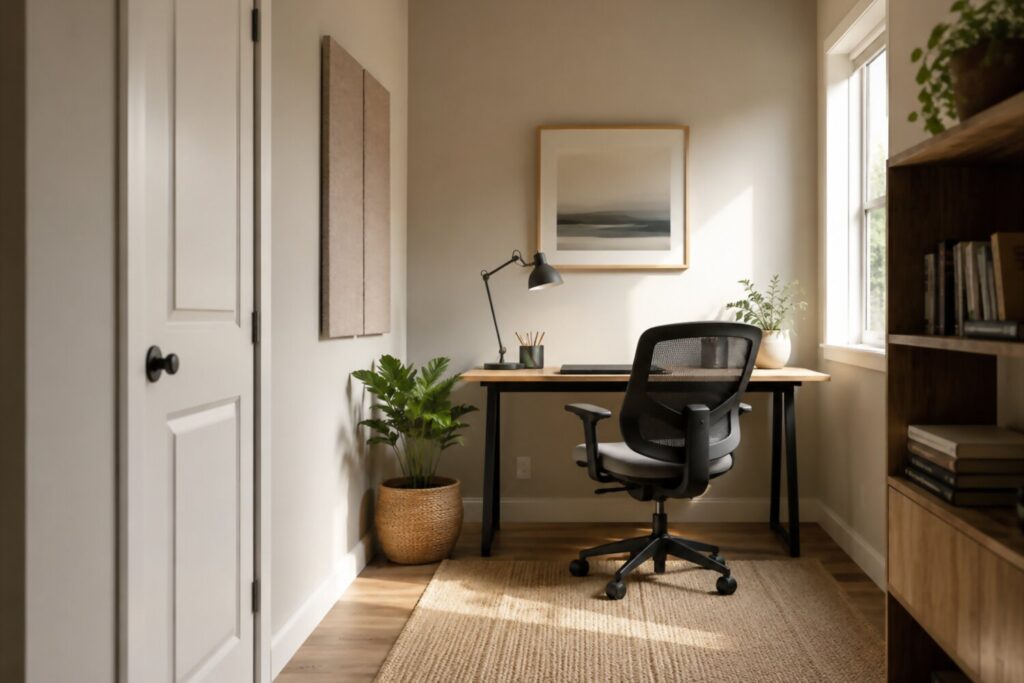
The best place for a home office is not always the largest or most obvious room. It is the spot that gives you the right mix of focus, comfort, privacy, and practicality. Before buying furniture or rearranging your space, take time to think about how you work during a typical day. Do you spend hours on video calls? Do you need quiet for deep concentration? Do you share your home with family, roommates, pets, or children? Your answers will help determine where your workspace should go.
Start by looking for an area with low foot traffic. A busy kitchen table may work for occasional tasks, but it can be difficult to use as a long-term office if people regularly walk through, cook, talk, or look for household items nearby. A bedroom corner, unused dining area, finished basement, guest room, or even a wide hallway nook may offer more consistency. The goal is to find a place where you can sit down and work without constantly resetting your environment.
Natural light can make a workspace feel more pleasant, but placement matters. If possible, choose a spot near a window without putting your screen directly in front of or behind strong sunlight. Too much glare can make it harder to see your monitor, while bright backlighting can make video calls look washed out. A side-facing window is often a practical choice because it brings in daylight without shining directly into your eyes or camera.
Privacy is another important factor, especially if your work involves meetings, client conversations, or focused tasks. You do not necessarily need a separate room with a door, but you should think about how sound travels in your home. Soft furnishings, rugs, curtains, bookcases, and room dividers can help make a workspace feel more contained. If you share your home, it may also help to set simple household expectations, such as using headphones during calls or agreeing on quiet hours.
For small spaces, the right location may be less about square footage and more about smart boundaries. A compact desk in a living room corner can work well when paired with a chair that tucks in, a small task lamp, and storage that keeps work items off the floor. A fold-down wall desk, rolling cart, or closet office can also create a functional setup without taking over the room.
Consider these examples:
- Studio apartment: Use a narrow desk against a wall, with a lamp and vertical shelves to keep supplies organized.
- Shared living space: Choose a corner away from the TV and use a screen, bookshelf, or plant as a visual divider.
- Bedroom office: Place the desk so it faces away from the bed if possible, helping create a clearer mental separation between work and rest.
- Multipurpose room: Use bins, drawers, or a rolling cart so work materials can be put away at the end of the day.
Try to avoid making your bed or couch your primary workspace. They may feel comfortable at first, but they usually do not provide the support, surface height, or separation needed for a full workday. Over time, an improvised setup can make it harder to stay organized and maintain a consistent routine.
Choosing the right location is about creating a space you can return to every workday with minimal friction. When your office area is quiet enough, well-lit, and easy to maintain, the rest of your setup becomes much easier to build.
Invest in an Ergonomic Desk and Chair Setup
Your desk and chair are the foundation of your home office. They influence how you sit, how easily you reach your tools, and how comfortable you feel during long stretches of focused work. A good ergonomic setup does not need to be expensive, but it should fit your body, your work habits, and the amount of time you spend at your desk.
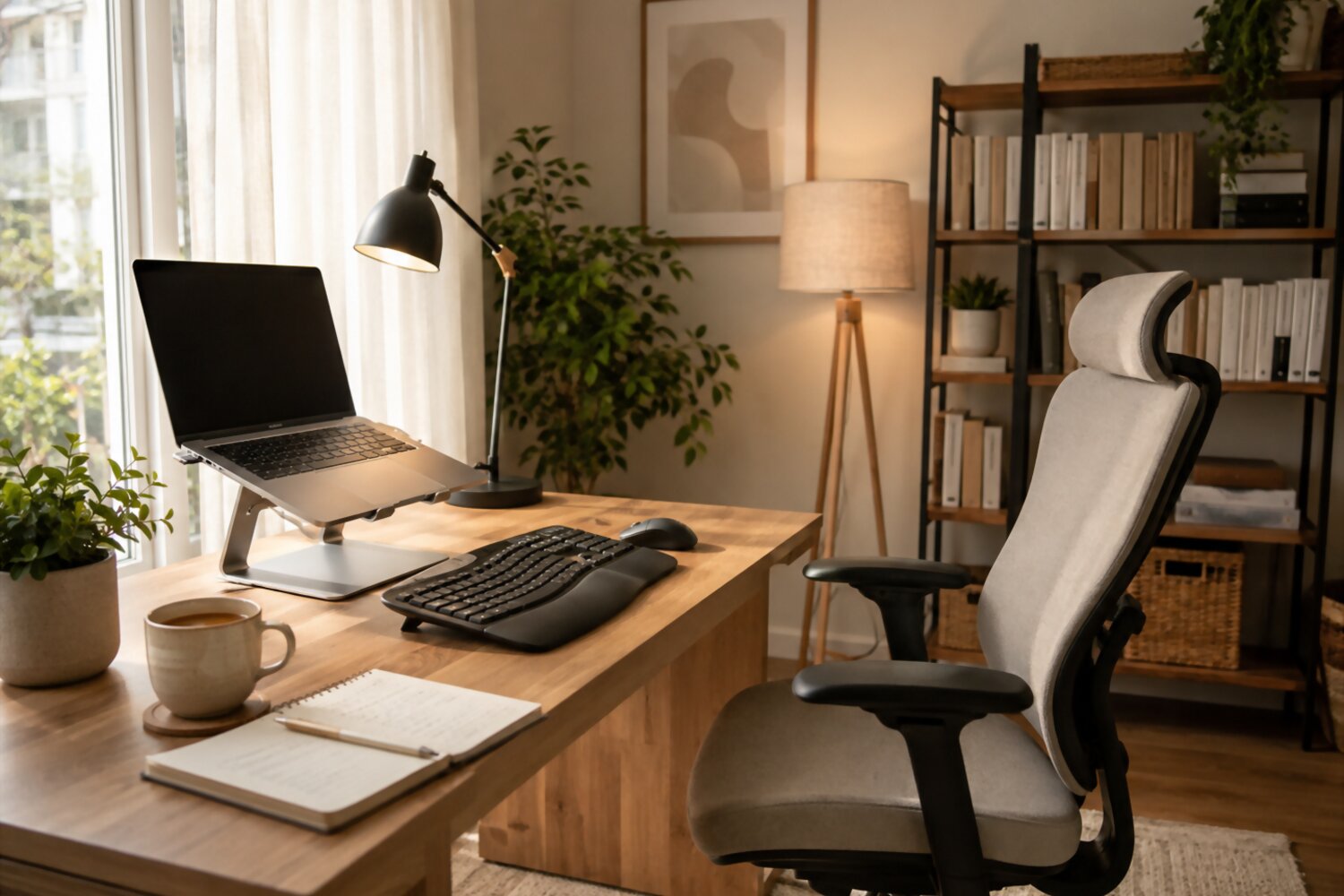
Start with the chair. Look for a chair that allows you to sit with your feet flat on the floor, your knees roughly level with your hips, and your back supported. Adjustable seat height is especially important because it helps you match the chair to your desk rather than forcing your body into an awkward position. A supportive backrest can also make a noticeable difference, particularly if you sit for several hours at a time.
Your desk should give you enough room for your computer, keyboard, mouse, notebook, and any tools you use regularly. It should also allow your arms to rest comfortably when typing. Ideally, your elbows should stay close to your body and bend at about a right angle when your hands are on the keyboard. If your desk is too high, you may find yourself raising your shoulders. If it is too low, you may hunch forward. Both positions can make work feel more tiring than necessary.
Our team’s opinion: the best home office setup is usually the one that is easy to adjust. Remote workers often focus on buying the “perfect” chair or desk, but small adjustments matter just as much. A footrest, laptop stand, seat cushion, or external keyboard can often improve comfort without requiring a full office upgrade.
A few practical setup tips:
- Keep your feet supported. If your feet do not rest comfortably on the floor, use a footrest or a sturdy box.
- Support your lower back. Choose a chair with lumbar support, or add a small cushion if needed.
- Avoid reaching forward. Keep your keyboard and mouse close enough that your shoulders stay relaxed.
- Leave enough legroom. Your desk should not force you to twist, tuck your legs awkwardly, or sit too far away.
- Change positions during the day. Even a well-designed chair cannot replace regular movement.
Standing desks and desk converters can be useful for people who like to alternate between sitting and standing. However, standing all day is not the goal. A balanced approach is better: sit when you need support, stand when you want a change of posture, and take short movement breaks when possible.
If you are setting up a home office on a budget, prioritize the items that affect your body the most. A stable work surface, a chair with basic adjustability, and a screen setup that prevents hunching will usually provide more value than decorative accessories. Comfort should come before style, especially if your workspace is used every day.
The right ergonomic setup should feel natural rather than forced. You should be able to sit down, reach your tools, view your screen, and work without constantly noticing your chair, desk, or posture. When your furniture supports you well, it becomes easier to focus on the work itself.
Set Up Your Monitor, Keyboard, and Mouse Correctly
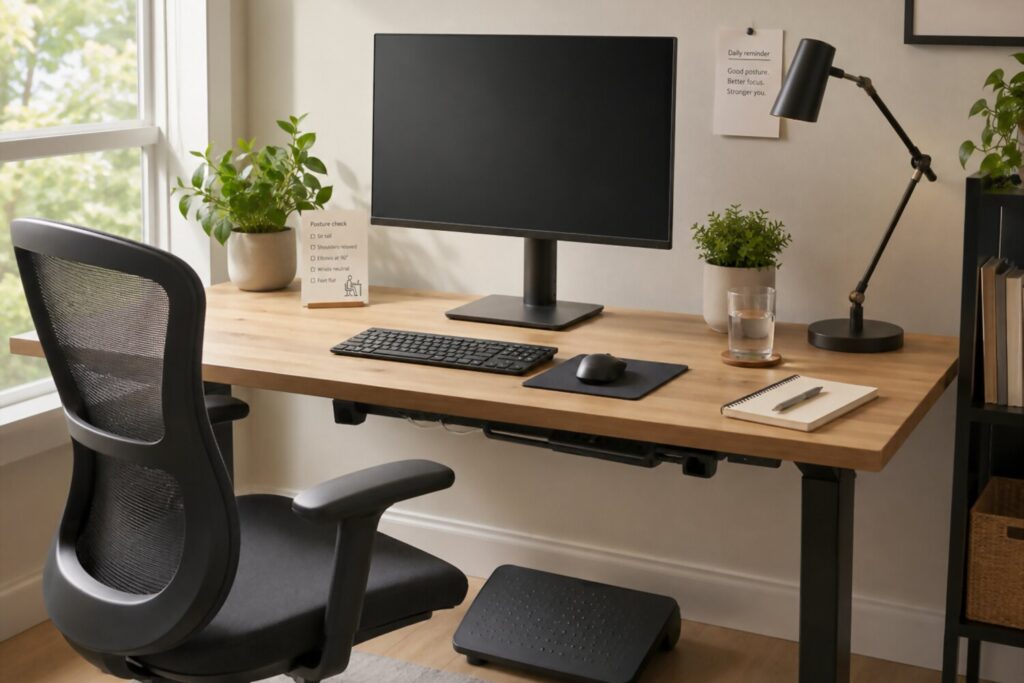
Your screen, keyboard, and mouse have a major impact on how comfortable your home office feels throughout the day. Even if you have a good desk and chair, poor equipment placement can lead to awkward posture, extra reaching, and unnecessary fatigue. The goal is to arrange your tools so your body can stay in a relaxed, neutral position while you work.
Start with your monitor. In most setups, the top of the screen should be at or slightly below eye level, with the monitor placed directly in front of you. This helps reduce the tendency to crane your neck up, look down for long periods, or twist your body to one side. Your screen should also be far enough away that you can read comfortably without leaning forward. For many people, an arm’s length is a practical starting point, though the right distance depends on screen size, text size, and vision needs.
Laptop users often need a few extra accessories. A laptop placed flat on a desk usually forces a tradeoff: either the screen is too low or the keyboard is too high. Raising the laptop on a stand, sturdy riser, or stack of books can bring the screen closer to eye level. Pairing that setup with an external keyboard and mouse allows your hands and arms to stay in a more comfortable position.
Your keyboard and mouse should sit close enough that you do not have to reach forward. Keep your elbows near your sides and your wrists as straight as possible while typing or clicking. If you use a mouse heavily, make sure it is on the same level as your keyboard and easy to access. A mouse that sits too far away can encourage shoulder tension and uneven posture.
| Setup Element | Practical Guideline | Common Mistake to Avoid |
|---|---|---|
| Monitor | Place it directly in front of you, with the top of the screen near eye level. | Setting it too low, too high, or off to one side. |
| Laptop | Use a stand or riser with an external keyboard and mouse. | Working all day with the laptop flat on the desk. |
| Keyboard | Keep it close enough that your elbows stay relaxed near your body. | Reaching forward or typing with raised shoulders. |
| Mouse | Place it beside the keyboard at the same height. | Keeping it too far away or on a different surface level. |
| Cables | Route cords neatly so they do not interfere with movement. | Letting cables crowd the desk or pull on devices. |
If you use two monitors, place the screen you use most often directly in front of you. The second monitor can sit to the side at a slight angle. If you use both screens equally, center yourself between them and angle both inward. This setup can help reduce repeated twisting during the day.
Small adjustments can make a big difference. Increase text size if you find yourself leaning in. Move your keyboard closer if your shoulders feel raised. Reposition your monitor if you keep turning your head. A comfortable tech setup should make work feel smoother, not more complicated.
Finally, do not overlook cable management. A clean desk is easier to use when charging cords, monitor cables, and accessory wires are organized. Simple tools like cable clips, Velcro ties, or a small cable tray can keep your workspace clear and reduce distractions. When your equipment is positioned well, your home office becomes easier to use, easier to maintain, and better suited for focused remote work.
Improve Lighting, Sound, and Video Call Quality
Lighting, sound, and video call quality can affect both how comfortable your workspace feels and how clearly you communicate with others. You do not need a studio-level setup to look and sound professional. A few thoughtful adjustments can make meetings easier to follow, reduce distractions, and help your home office feel more polished.
Start with lighting. The best setup usually places light in front of you or slightly to the side, rather than directly behind you. When a bright window or lamp is behind your head, your face may appear dark on camera. When light shines straight into your eyes or reflects off your screen, it can create glare and make the workday feel more tiring. If possible, sit near natural light, but position your desk so the window is not directly behind your monitor or directly behind you during calls.
A simple task lamp can also make a big difference, especially if you work early in the morning, late in the day, or in a room with limited daylight. Choose a lamp that lights your work surface evenly without creating harsh reflections on your screen. For video meetings, a small desk lamp placed in front of you and slightly above eye level can help your face appear clearer and more natural.
Sound is just as important as lighting. A room with hard floors, bare walls, and few soft surfaces can create echo, while a busy household or street-facing window can add background noise. You can improve sound quality by using headphones with a built-in microphone, closing doors or windows during calls, and adding soft materials such as curtains, rugs, upholstered furniture, or fabric panels. These changes do not have to be expensive; even small improvements can make conversations easier to hear.
For better video calls, focus on the basics:
- Face the light. Keep your main light source in front of you when possible.
- Raise your camera. Position your webcam near eye level to avoid an awkward upward or downward angle.
- Check your background. Remove distracting clutter and keep the area behind you simple.
- Test your audio. Make sure your microphone is clear before important meetings.
- Reduce interruptions. Close unnecessary apps, silence notifications, and let others in your home know when you are on a call.
Your background does not need to look perfect, but it should be intentional. A plain wall, tidy bookshelf, plant, or simple piece of artwork can create a professional look without feeling overly staged. If your space is busy or shared, a virtual background or background blur can be useful, as long as it does not distort your image or distract from the conversation.
Reliable internet also plays a role in call quality. If your video freezes often or your audio drops, try moving closer to your router, limiting other high-bandwidth activity during meetings, or using a wired connection when practical. For many remote workers, a stable connection is more valuable than an expensive camera.
The goal is to create a meeting setup that helps people see and hear you clearly while keeping you comfortable. Good lighting, clean audio, and a calm background make remote communication feel smoother and allow you to focus on the conversation instead of troubleshooting your workspace.
Organize Your Workspace for Focus and Efficiency
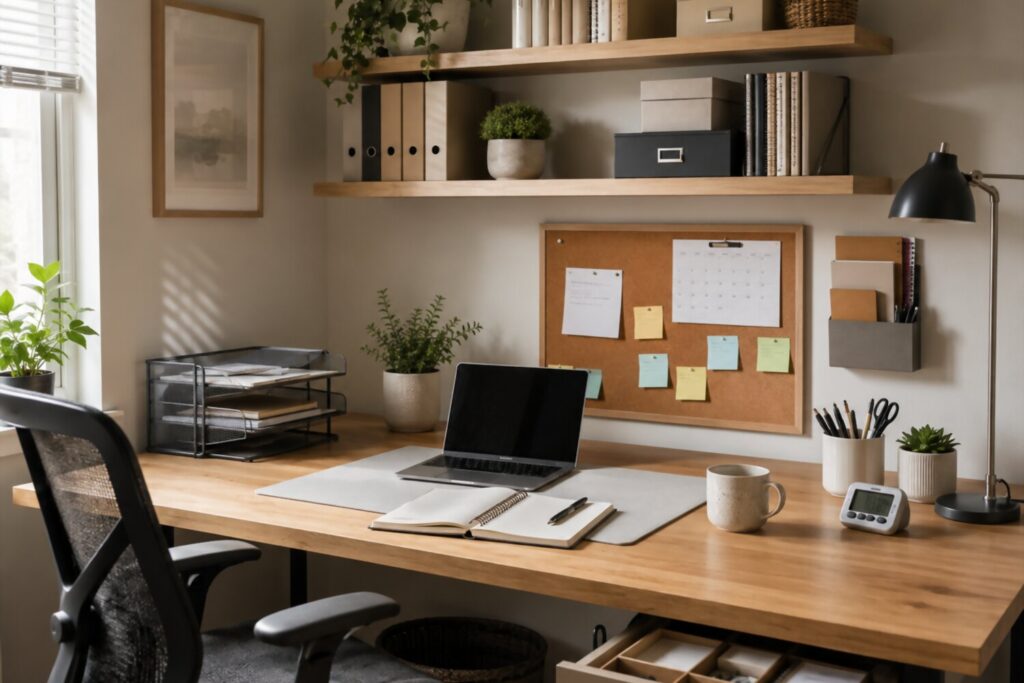
An organized home office makes it easier to start work, stay focused, and find what you need without breaking your concentration. Organization is not about creating a spotless desk or a picture-perfect workspace. It is about designing a system that supports your daily routine and reduces small distractions that can interrupt your flow.
Start by deciding what truly needs to stay within reach. For most remote workers, the essentials include a computer, keyboard, mouse, notebook, pen, phone charger, water bottle, and perhaps a planner or task list. Items you use only occasionally, such as extra cables, printer paper, reference books, or backup supplies, can be stored nearby but do not need to live on the desktop.
A useful approach is to divide your workspace into simple zones:
- Primary work zone: Your computer, keyboard, mouse, and the tools you use every day.
- Reference zone: Notes, documents, books, or project materials you need during focused work.
- Supply zone: Chargers, pens, sticky notes, headphones, and other office supplies.
- Personal zone: A small plant, photo, candle, or other item that makes the space feel comfortable without adding clutter.
Storage should be easy to use, not complicated. If a system takes too much effort, it is unlikely to last. Desk drawers, labeled bins, file folders, shelves, cable clips, and a small rolling cart can all help keep items accessible without crowding your work surface. For paper-heavy work, use a simple “active,” “to file,” and “done” system so documents do not pile up without a clear purpose.
Digital organization matters too. A cluttered desktop, crowded browser, or scattered file system can slow you down just as much as a messy desk. Create clear folders for current projects, archive completed work regularly, and keep only the most useful shortcuts visible. Closing unused tabs and apps can also make your screen feel less chaotic during focused tasks.
Build a short reset habit at the end of each workday. This does not need to be a full cleaning session. Spend a few minutes clearing cups and wrappers, returning supplies to their place, reviewing tomorrow’s top priorities, and plugging in devices that need to charge. That small routine helps you begin the next day with fewer obstacles.
To keep your workspace efficient, ask yourself these questions:
- What do I reach for several times a day?
- What keeps getting in my way?
- Which items belong somewhere else?
- What would make tomorrow morning easier?
- Is my workspace helping me focus, or pulling my attention in too many directions?
The best organization system is one you can maintain consistently. A clear, functional workspace helps reduce unnecessary decisions and gives your mind fewer things to filter out. When everything has a practical place, your home office becomes easier to use and more supportive of productive remote work.
Build Healthy Remote Work Habits Around Your Office Setup
A comfortable home office is only part of a successful remote work routine. The way you use the space each day matters just as much as the desk, chair, lighting, or equipment you choose. Good habits help your workspace become a reliable cue for focus, while also making it easier to step away when the workday is over.
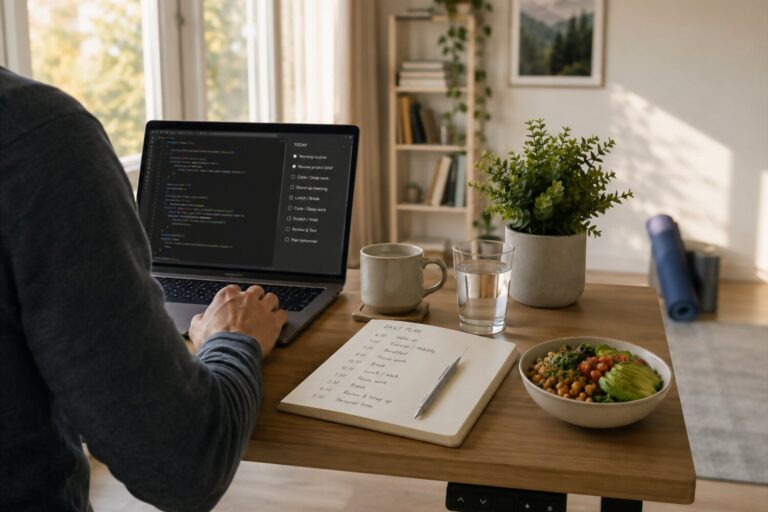
Start by creating a clear beginning to your day. Without a commute, it can be tempting to open your laptop the moment you wake up or check messages before you are fully ready. A short morning routine can help you transition into work more intentionally. This might include making coffee, reviewing your calendar, writing down your top priorities, or taking a brief walk before sitting at your desk. The routine does not need to be complicated; it just needs to signal that work is starting.
It is also helpful to plan your day around energy and attention, not just tasks. Schedule focused work for the times when you typically think most clearly, and leave lighter tasks, such as inbox cleanup or admin work, for lower-energy periods when possible. If your role involves meetings, try to create small buffers between calls so you have time to stretch, take notes, refill water, or prepare for the next conversation.
Movement breaks are especially important in a home office because there are fewer natural reasons to get up. In a traditional workplace, you might walk to a meeting room, talk to a coworker, or step out for lunch. At home, those transitions can disappear. Build them back into your day with simple habits:
- Stand up between meetings, even for one or two minutes.
- Look away from the screen regularly to give your eyes a break.
- Keep water nearby so you stay comfortable and avoid long stretches without moving.
- Take lunch away from your desk when your schedule allows.
- Reset your posture whenever you notice yourself slouching, leaning, or reaching.
Boundaries are another key part of a healthy remote work setup. If you live with others, communicate when you are available and when you need uninterrupted time. A closed door, headphones, calendar block, or small desk sign can serve as a helpful signal. If you live alone, boundaries still matter. It can be useful to decide when work notifications should be silenced, where work devices belong after hours, and what routine helps you mentally close the day.
Ending the workday deserves the same attention as starting it. A simple shutdown routine can help prevent work from spilling into the rest of your evening. Save important files, write tomorrow’s first task, clear your desk, and close your laptop or turn off your monitor. These small actions create a sense of completion and make it easier to return the next day with a clear plan.
Healthy remote work habits are not about being perfectly disciplined every minute. They are about building a repeatable structure that supports focus, comfort, and balance. When your workspace and daily routines work together, your home office becomes more than a place to sit — it becomes a system that helps you work well and recover well.
Home Office Setup Checklist and Common Mistakes to Avoid
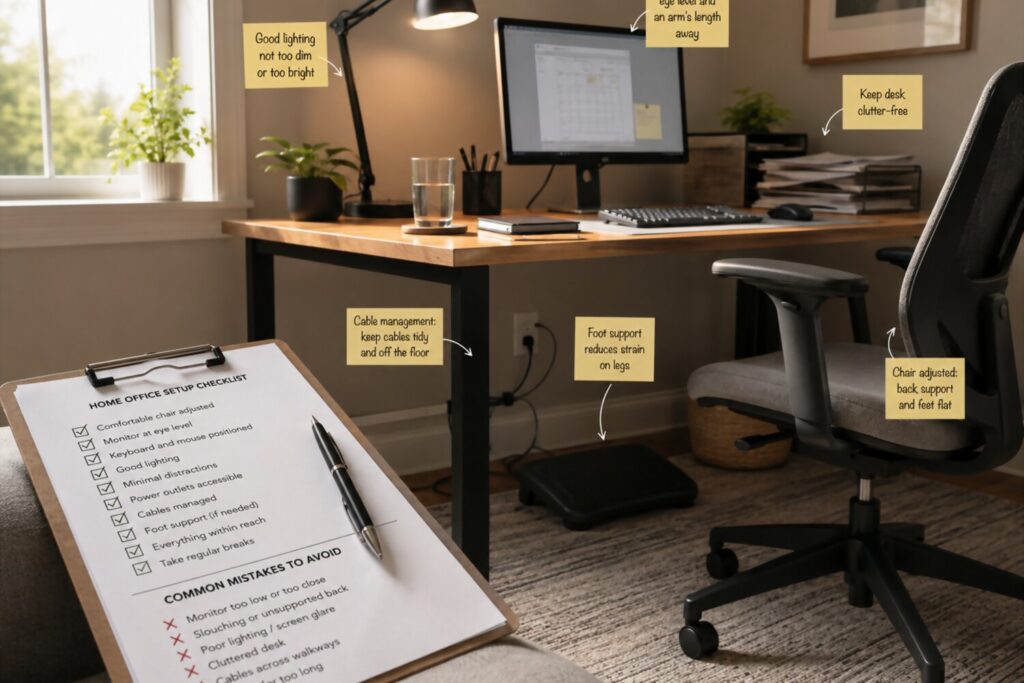
Once you have chosen your workspace, arranged your furniture, adjusted your equipment, and built a daily routine, it helps to review the full setup as a system. A productive home office is not defined by one expensive item or a perfectly designed room. It is the result of several practical choices working together: comfort, focus, organization, reliable tools, and habits you can maintain.
Use this checklist to evaluate your current setup and decide what to improve next.
Home office setup checklist:
- Dedicated workspace: Choose a consistent place to work, even if it is a small desk or corner.
- Supportive chair: Use a chair that supports your back and allows your feet to rest comfortably.
- Practical desk height: Make sure your arms can rest naturally while typing.
- Proper screen position: Keep your monitor or laptop screen near eye level to reduce awkward posture.
- External keyboard and mouse: Add these if you use a laptop for long work sessions.
- Good lighting: Position light in front of or beside you to reduce glare and improve video calls.
- Clear audio setup: Use headphones or a reliable microphone if you spend time in meetings.
- Organized supplies: Keep daily essentials nearby and store occasional-use items out of the way.
- Reliable internet connection: Place your workspace near strong Wi-Fi or use a wired connection when needed.
- Daily reset routine: Clear clutter, charge devices, and prepare your first task for the next day.
After reviewing the basics, look for small problems that may be making your workday harder than it needs to be. Many home office issues come from habits that seem harmless at first but become frustrating over time.
Common mistakes to avoid:
- Working from the couch or bed every day. These spots may feel comfortable for short periods, but they usually do not provide the support, surface height, or mental separation needed for consistent remote work.
- Ignoring screen height. A laptop or monitor that sits too low can encourage hunching and frequent neck movement.
- Letting clutter build up. Extra papers, cables, cups, and supplies can make your workspace feel distracting and harder to use.
- Relying on poor lighting. A dark room, bright backlight, or screen glare can make both focused work and video calls more difficult.
- Skipping movement breaks. Even a well-designed setup works best when you change positions and step away from the screen during the day.
- Forgetting about sound. Background noise, echo, or an unreliable microphone can make meetings less effective.
- Overbuying before testing your needs. It is usually better to improve your setup gradually than to purchase equipment you may not use.
The most effective home office is one that fits your space, your work style, and your daily routine. Start with the essentials: a stable work surface, a supportive chair, a comfortable screen position, good lighting, and a system for staying organized. From there, make thoughtful upgrades based on the problems you actually notice during the workday.
A home office does not have to be large, expensive, or perfectly styled to support productive remote work. It should help you start work with less friction, stay focused with fewer distractions, and end the day with a clear sense of separation. When your setup is comfortable, organized, and easy to maintain, it becomes a dependable part of your remote work routine.