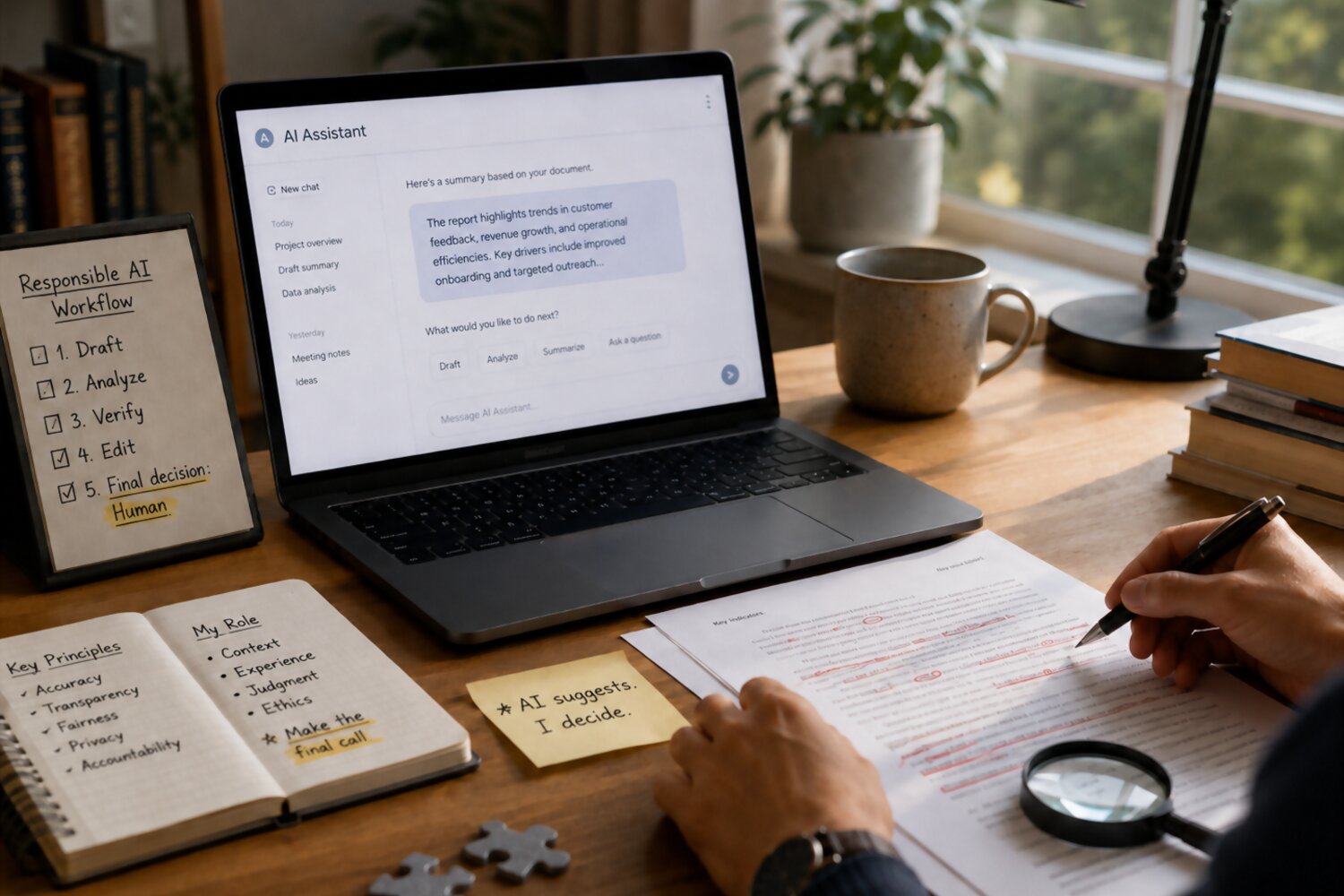
AI Is Not Coming for Your Job — But Someone Using AI Might
The fear that artificial intelligence will “replace everyone” is understandable, but it is also too simple. In most workplaces, AI is not walking in as a full employee who understands company politics, customer expectations, strategy, risk, brand voice, and business priorities. What it can do is help people work faster, organize information, draft content, analyze patterns, and reduce repetitive tasks.
That distinction matters.
The real career risk is not simply that AI exists. The bigger risk is becoming the person who ignores it while others learn how to use it responsibly. Employees who know how to combine AI tools with strong judgment, communication, and subject-matter expertise can often produce better work in less time. They do not just “use AI”; they direct it, question it, improve it, and apply it to real business problems.
AI is best understood as a force multiplier, not a replacement for professional value. It can generate a first draft, but it cannot fully own the outcome. It can summarize a meeting, but it cannot decide which relationship needs careful handling. It can suggest a strategy, but it does not carry responsibility for whether that strategy works.
That responsibility still belongs to you.
To stay valuable in an AI-driven workplace, the goal is not to compete with AI at tasks it does well. Instead, focus on the work that makes you distinctly useful:
- Asking better questions
- Making informed decisions
- Understanding context
- Building trust with people
- Checking accuracy and quality
- Turning raw output into business value
For example, a marketer who uses AI only to generate generic social media captions may become easier to replace. But a marketer who uses AI to research audience pain points, test campaign angles, speed up drafts, and then apply brand judgment becomes more valuable. The same is true for analysts, managers, assistants, sales teams, HR professionals, designers, and many other roles.
The safest mindset is this: Do not use AI to avoid thinking. Use it to think better.
When you treat AI as a junior assistant, you stay in control. You provide direction, review the work, correct mistakes, and make the final call. That approach helps you become more productive without making your own role smaller. In fact, used wisely, AI can help you spend less time on low-value tasks and more time on the work that proves your expertise.
Understand What AI Should and Should Not Do at Work
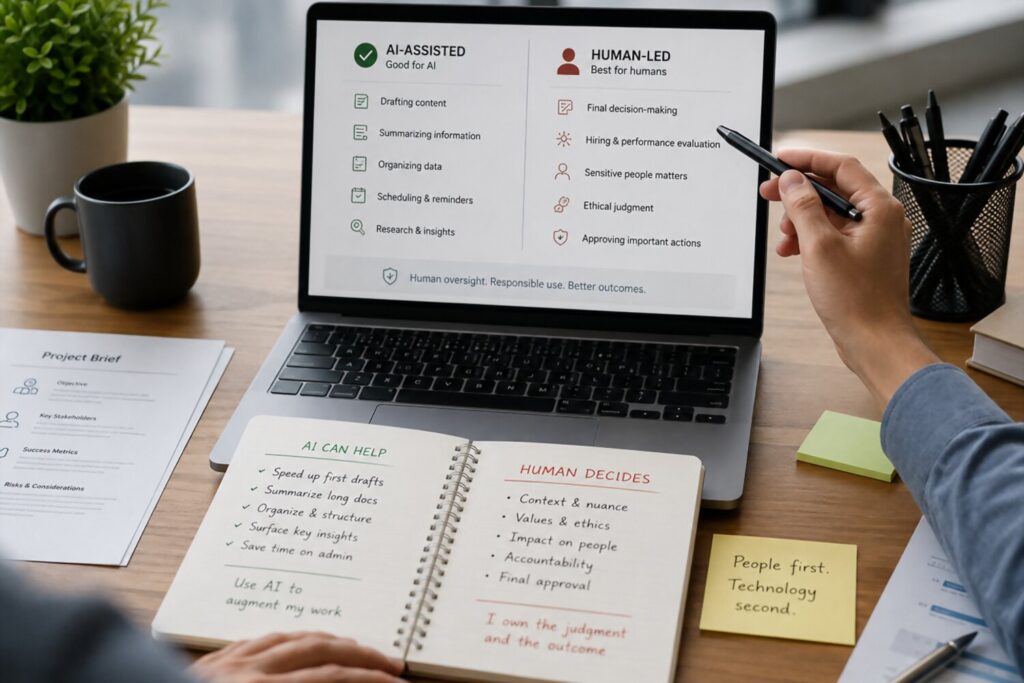
Before you bring AI into your daily workflow, it is important to understand its role. AI can be incredibly useful, but it is not a substitute for professional judgment, accountability, or expertise. The best way to use it at work is to separate tasks into two categories: what AI can assist with and what humans must still own.
AI is especially helpful when the task involves organizing, drafting, summarizing, comparing, or generating ideas. For example, it can turn messy meeting notes into a clean recap, suggest different versions of an email, create a first draft of a project brief, or help you find patterns in customer feedback. These uses can save time and reduce mental clutter, especially when you are dealing with repetitive or information-heavy work.
However, AI should not be treated as the final authority. It can misunderstand context, make confident but incorrect claims, overlook sensitive details, or produce language that sounds polished but lacks accuracy. That is why AI-generated work should always be reviewed before it is shared, submitted, or used to make decisions.
A practical rule is: let AI support the process, but do not let it own the outcome.
You can safely use AI to help with:
- Drafting: emails, reports, proposals, presentations, job descriptions, FAQs
- Summarizing: meeting notes, long documents, customer messages, research materials
- Brainstorming: campaign ideas, product names, interview questions, process improvements
- Structuring: outlines, checklists, workflows, standard operating procedures
- Editing: improving clarity, tone, grammar, and readability
- Analysis support: identifying trends, grouping feedback, creating comparison tables
But you should be much more careful when AI touches areas such as:
- Confidential company information
- Legal, financial, medical, or HR decisions
- Performance reviews or hiring recommendations
- Customer disputes or sensitive communications
- Security-related processes
- Final approval of facts, numbers, or claims
For example, asking AI to help rewrite a customer service response in a calmer tone can be a smart use case. Asking it to decide whether a customer should receive a refund may not be. The first task improves communication; the second requires business policy, human judgment, and accountability.
The same principle applies to data. AI can help explain a spreadsheet or suggest what trends to look for, but you should still verify the numbers, check the source, and understand the assumptions behind the analysis. In a professional setting, a mistake does not become acceptable just because “AI said so.”
Using AI well means becoming more intentional about your own role. You are not just pressing a button and accepting the output. You are setting the goal, providing context, checking quality, protecting sensitive information, and making the final decision.
That is what keeps AI in the right place: a powerful assistant, not an unsupervised decision-maker.
Use AI to Remove Low-Value Tasks, Not Your Core Value
One of the smartest ways to use AI at work is to aim it at the tasks that drain your time but do not define your professional worth. These are usually repetitive, administrative, or first-draft activities: formatting notes, cleaning up rough text, summarizing long messages, organizing information, or generating starting points.
The mistake some employees make is using AI to replace the very work that makes them valuable. If your job requires judgment, taste, strategy, relationship-building, risk awareness, or deep knowledge of your field, you should not hand those responsibilities over to a tool. Instead, use AI to clear space so you can spend more energy on those higher-value activities.
The goal is not to make yourself less necessary. The goal is to make yourself more focused, faster, and more effective.
For example, if you are a project manager, AI can help turn scattered meeting notes into a task list. But you still need to decide which tasks matter most, who should own them, and how to handle delays. If you work in sales, AI can draft a follow-up email, but you still need to understand the client’s priorities, timing, objections, and buying signals. If you are in HR, AI can help organize interview questions, but it should not replace your judgment about fairness, culture fit, or sensitive employee issues.
A useful way to think about this is to separate your work into support tasks and value tasks:
| Task Type | Good Use of AI | What You Should Still Own |
|---|---|---|
| Email communication | Drafting, shortening, changing tone | Final message, relationship context, timing |
| Meetings | Summaries, action items, agendas | Priorities, decisions, follow-through |
| Research | Gathering ideas, outlining themes | Source evaluation, conclusions, recommendations |
| Reports | First drafts, structure, editing | Accuracy, insights, business meaning |
| Customer work | Response drafts, FAQ support | Empathy, judgment, escalation decisions |
| Strategy | Brainstorming options | Direction, trade-offs, final decisions |
Our editorial view is simple: AI should handle the “blank page” and the “busywork,” but not the professional responsibility. It can help you start faster, compare options, and polish your work. But your value comes from knowing what matters, what is accurate, what is appropriate, and what should happen next.
This is especially important because workplaces do not usually reward activity for its own sake. They reward outcomes. If AI helps you spend less time formatting slides and more time improving the recommendation, that is a career advantage. If it helps you reduce manual reporting so you can identify a business risk earlier, that makes you more valuable. If it helps you prepare for a client meeting so you can ask sharper questions, it strengthens your role rather than shrinking it.
A practical exercise is to look at your weekly workload and ask:
- Which tasks are repetitive?
- Which tasks require little judgment?
- Which tasks slow me down before I get to the real work?
- Which tasks could AI help draft, organize, summarize, or check?
- Which parts must remain fully human-owned?
Start with one low-risk workflow. For instance, use AI to create a first draft of a meeting agenda, summarize internal notes, or turn a rough outline into a clearer document. Then review the output carefully and improve it with your own expertise.
That review step is where your value shows. AI may produce something that sounds complete, but you know the team, the customer, the business goal, and the consequences of getting it wrong. When you use AI this way, you are not outsourcing your role. You are protecting your time for the parts of the job that actually prove why you are needed.
Build an “AI-Enhanced” Skill Stack

Using AI well is not just about learning prompts. It is about building a stronger professional skill stack around the tool. The employees who benefit most from AI are usually not the ones who ask the most questions. They are the ones who know which questions matter, how to judge the answer, and how to turn the output into useful work.
Think of AI as one layer of your career toolkit, not the entire toolkit. It can help you draft faster, analyze more information, and explore ideas from different angles. But your long-term value comes from the combination of AI fluency and human strengths: business judgment, communication, creativity, ethics, and domain expertise.
A strong AI-enhanced skill stack includes:
- AI literacy: understanding what AI tools can do, where they fail, and how to use them safely.
- Prompting and task design: giving clear instructions, useful context, examples, constraints, and desired formats.
- Critical thinking: questioning outputs instead of accepting them because they sound confident.
- Domain expertise: knowing enough about your field to spot weak reasoning, missing details, or unrealistic suggestions.
- Communication: turning AI-assisted work into clear, persuasive messages for coworkers, clients, or leadership.
- Data awareness: understanding basic metrics, assumptions, sources, and how numbers can be misread.
- Ethical judgment: knowing when privacy, fairness, bias, or accountability concerns require extra caution.
This matters because AI can make average work look polished. A report may sound professional, an email may read smoothly, and a presentation outline may seem complete. But polish is not the same as quality. Someone still has to know whether the recommendation is practical, whether the numbers make sense, whether the tone fits the situation, and whether the work supports the company’s goals.
That “someone” should be you.
For example, a financial analyst who uses AI only to summarize data may save time, but an analyst who can also question assumptions, explain business impact, and recommend next steps becomes much harder to replace. A customer support specialist who uses AI to draft replies may be faster, but one who adds empathy, policy knowledge, and sound judgment delivers better service. A manager who uses AI to prepare meeting notes may be efficient, but one who uses those notes to coach people, remove blockers, and make better decisions becomes more effective.
A practical way to build your skill stack is to choose one area at a time. Start by learning how to write better prompts for your daily tasks. Then practice reviewing AI output for accuracy, tone, and usefulness. Next, learn how to apply AI to higher-level work, such as planning, decision support, research, or process improvement.
The goal is not to become “the AI person” in the office. The goal is to become the person who can use AI responsibly to produce clearer thinking, faster execution, and better outcomes.
In an AI-driven workplace, your strongest advantage is not the tool itself. It is the combination of tool fluency, professional expertise, and human judgment. That combination is what turns AI from a threat into a career asset.
Learn to Manage AI Like a Junior Assistant
A useful way to stay in control of AI at work is to treat it like a smart but inexperienced junior assistant. It can move quickly, organize information, draft ideas, and suggest options, but it does not automatically understand your company, your customers, your standards, or the consequences of being wrong.
That mindset changes how you use the tool. Instead of typing a vague request and accepting whatever comes back, you become the manager of the process. You define the task, explain the context, set expectations, review the result, and decide what is good enough to use.
AI performs better when you give it direction, not just instructions.
For example, instead of asking, “Write an email to my client,” give it the kind of guidance you would give a new team member:
“Draft a professional but friendly email to a client whose project timeline has changed. The goal is to explain the delay, take responsibility, and suggest a revised meeting time. Keep the tone calm and confident. Do not blame the vendor. Include a short subject line.”
The second prompt gives AI a goal, audience, tone, boundaries, and business context. That usually leads to a more useful first draft. More importantly, it keeps you in control of the message.
Managing AI well also means knowing how to challenge it. If the first answer is weak, do not assume the tool failed completely. Ask it to improve the output: make it shorter, more specific, more executive-friendly, more customer-focused, or more cautious. You can also ask for multiple options so you are not locked into one version.
A strong AI workflow often looks like this:
First, assign the task clearly. Tell AI what you need, who the audience is, what format you want, and what constraints it must follow.
Second, ask for options. A single answer may be too narrow. Request two or three approaches, headlines, summaries, or recommendations.
Third, review for accuracy and fit. Check facts, numbers, tone, assumptions, and missing context. AI can sound polished even when it is incomplete.
Fourth, revise with human judgment. Add details only you know: company priorities, client history, internal politics, risk level, or strategic importance.
Finally, own the final version. If the work goes to your manager, your team, or a customer, it represents you.
This is where many employees can create a real advantage. Anyone can copy and paste a prompt. Fewer people can guide AI toward a useful business outcome. The difference is not technical magic; it is professional judgment.
Think of yourself as the editor, strategist, and final decision-maker. AI may help produce the raw material, but you decide what is accurate, appropriate, persuasive, and valuable. That is how you use AI without shrinking your role. You become the person who can lead both the tool and the work.
Protect Your Reputation: Verify, Edit, and Own the Output
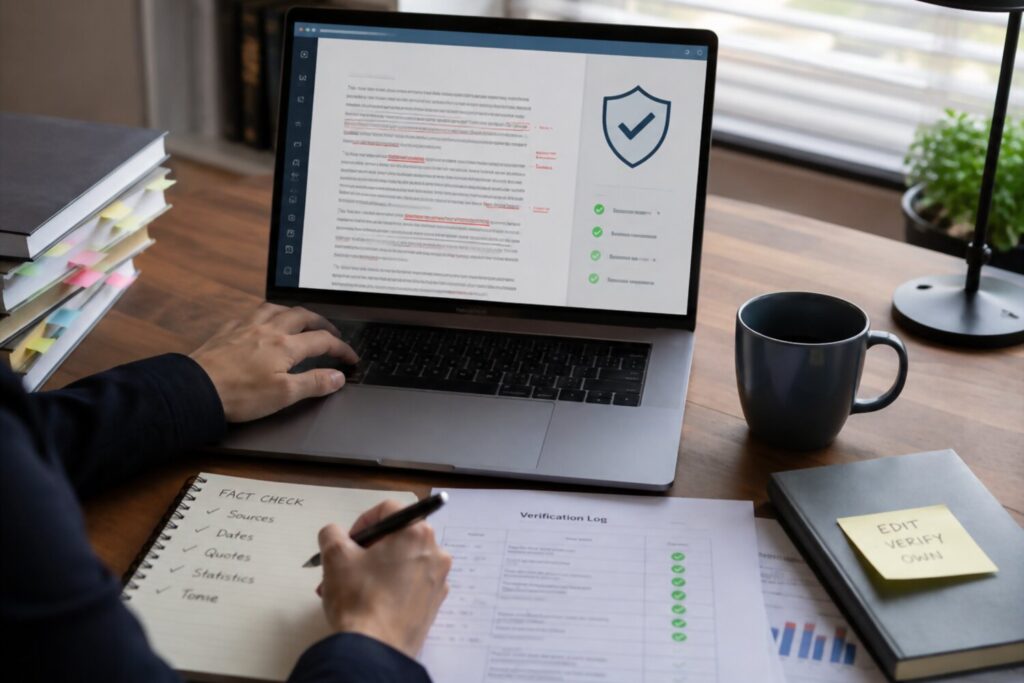
AI can help you work faster, but speed should never come at the cost of trust. In a professional setting, your reputation is built on accuracy, judgment, and reliability. If you submit AI-assisted work that contains errors, unclear reasoning, biased language, or confidential details, the problem will not belong to the tool. It will belong to you.
That is why every AI-assisted task should include a review step. AI can produce confident answers even when it misunderstands the assignment, invents details, or leaves out important context. A paragraph may sound polished, a summary may seem complete, and a recommendation may appear logical. But professional-quality work requires more than clean writing. It requires verification.
The safest rule is simple: never send, publish, or present AI-generated work without reviewing it as if you created it yourself.
Start by checking the facts. Are the names, dates, numbers, product details, policies, and claims correct? If the output includes statistics, legal language, financial assumptions, or technical statements, verify them against reliable internal or external sources. AI is useful for drafting and organizing, but it should not be treated as a source of truth.
Next, review the tone and context. AI may write something that sounds professional but does not fit the relationship, situation, or audience. A message to an unhappy customer may need more empathy. A note to leadership may need more precision. A response about a sensitive employee issue may require careful wording and policy awareness. These are areas where human judgment matters.
You should also protect confidential information. Before putting company data, client details, employee records, contracts, financial numbers, or private conversations into an AI tool, understand your organization’s AI policy. Some information should never be entered into public tools. When in doubt, remove identifying details, use approved platforms, or ask the appropriate internal team for guidance.
Bias is another important risk. AI can reflect patterns in the data it was trained on or produce language that unintentionally favors certain groups, assumptions, or perspectives. This matters in hiring, performance reviews, customer segmentation, marketing, compliance, and leadership communication. If the output affects people, opportunities, or decisions, review it with extra care.
A practical review checklist can help:
- Accuracy: Are the facts, numbers, and names correct?
- Context: Does the output fit the situation and audience?
- Confidentiality: Did you avoid exposing sensitive information?
- Fairness: Could the wording or recommendation create bias?
- Completeness: Is anything important missing?
- Accountability: Would you be comfortable putting your name on it?
That last question is the most important one. Would you stand behind this work if your manager, client, or team asked how you reached the conclusion? If the answer is no, the work is not ready.
Using AI responsibly is not about hiding that you used a tool. It is about making sure the final result meets professional standards. When you verify, edit, and take ownership, AI becomes part of a careful workflow rather than a shortcut that puts your credibility at risk.
Make Your AI Use Visible in the Right Way
Using AI well can make you more productive, but productivity only helps your career if people can see the value behind it. That does not mean announcing every prompt you write or presenting AI as a magic trick. It means showing how your AI-assisted work improves outcomes for your team, customers, manager, or business.
The key is to make your AI use visible through results, not shortcuts.
For example, saying “I used AI to write this report” may not impress anyone. But saying “I used AI to compare customer feedback themes, then reviewed the results and turned them into three product recommendations” shows judgment, ownership, and business value. You are not just using a tool. You are improving a workflow.
This distinction matters because some managers may still be unsure how to evaluate AI-assisted work. They may worry about accuracy, confidentiality, or over-reliance. You can reduce those concerns by explaining your process clearly: what AI helped with, what you reviewed yourself, and what final decisions came from your expertise.
A strong way to communicate AI use is to focus on measurable improvements:
- Time saved: “This process used to take three hours; now the first draft takes 30 minutes.”
- Quality improved: “The checklist helped reduce missing details before client handoff.”
- Speed increased: “We can now respond to common internal requests within the same day.”
- Consistency improved: “The team now uses one standardized template instead of five versions.”
- Insights gained: “AI helped group recurring customer complaints, and I validated the themes manually.”
You can also make your AI skills visible by sharing useful workflows with your team. If you create a prompt that turns meeting notes into action items, build a template for project updates, or design a repeatable process for reviewing customer feedback, document it. A simple internal guide can position you as someone who helps others work better.
The goal is not to look like you are doing less work. The goal is to show that you are doing higher-value work.
That means being transparent when appropriate, especially in workplaces with AI policies. If your company expects disclosure for AI-assisted work, follow that rule. If the work involves sensitive information, client deliverables, hiring, finance, legal issues, or public-facing content, be extra careful and clear about your review process.
A practical phrase you can use with a manager is:
“I used AI to speed up the first draft and organize the information, but I verified the details, edited the final version, and made the recommendations myself.”
That sentence protects your credibility because it shows you did not blindly outsource the work. You used AI as a support tool while keeping responsibility where it belongs.
Over time, visible and responsible AI use can become part of your professional brand. You may become known as the person who improves processes, reduces repetitive work, creates better documentation, or helps the team adopt tools safely. That is a much stronger position than quietly using AI only to finish tasks faster.
When you connect AI use to business impact, you shift the conversation from “Can this person be replaced?” to “This person helps us work smarter.”
Become Harder to Replace by Becoming Better to Work With

The best way to use AI without replacing yourself is to make it part of a larger professional strategy. AI can help you move faster, but speed alone is not the goal. The real goal is to become more useful: clearer in your thinking, stronger in your communication, better prepared for decisions, and more focused on work that creates value.
That is where your advantage is. AI can draft a message, but it cannot fully understand the trust you have built with a client. It can summarize a document, but it does not know which detail will matter most to your manager. It can suggest a plan, but it does not carry the responsibility of leading people through uncertainty. The more you use AI to support these human strengths, the more valuable you become.
The safest career path is not to avoid AI. It is to use AI in a way that makes your judgment more visible.
Start small and practical. Choose one workflow that regularly slows you down, such as preparing meeting notes, drafting status updates, organizing research, or creating first versions of internal documents. Use AI to reduce the friction, then apply your own expertise to improve the result. Over time, this habit helps you build confidence without taking unnecessary risks.
A simple action plan can help:
Pick one task. Choose something repetitive, time-consuming, and low-risk.
Use AI for the first pass. Let it draft, summarize, organize, or brainstorm.
Review the output carefully. Check facts, tone, context, and missing details.
Add your expertise. Include business judgment, relationship knowledge, and practical next steps.
Track the result. Notice whether the process saves time, improves quality, or helps you make better decisions.
This approach keeps AI in the right role. It becomes a tool for better work, not a substitute for your contribution. You are still the person setting the direction, understanding the stakes, communicating with others, and making the final call.
It also helps you become a better teammate. When you use AI responsibly, you can respond faster, document processes more clearly, reduce repeated questions, and help your team avoid unnecessary manual work. Those improvements matter because workplaces value people who make everyone around them more effective.
In the long run, AI will not only change tasks. It will change expectations. Work that once took hours may be expected faster. Basic drafts may become easier to produce. Routine analysis may become more accessible. That does not make people less important, but it does raise the bar for what professionals need to contribute.
Your opportunity is to move up that value chain. Let AI help with the routine parts, and use your time for judgment, creativity, trust-building, problem-solving, and leadership. Those are the qualities that make someone not only productive, but genuinely hard to replace.
Common Mistakes To Avoid
Using AI at work can make you faster and more effective, but only if you avoid the habits that create risk. The problem is rarely that someone uses AI. The problem is usually how they use it: without review, without context, or without understanding where human judgment is still required.
One of the biggest mistakes is treating AI output as finished work. AI can produce a clean paragraph, a polished email, or a confident recommendation in seconds, but polished language does not guarantee accuracy. Before you share anything, check the facts, tone, assumptions, and business context. In a workplace, the final result reflects your judgment, not the tool’s.
Another mistake is giving AI vague instructions. A prompt like “write a report” often leads to generic content. A better approach is to explain the audience, goal, format, tone, and any limits. For example: “Create a one-page summary for a department manager explaining three customer complaints from this month, with a professional tone and clear next steps.” Better input usually leads to better output.
It is also risky to use AI with sensitive information without understanding your company’s policy. Client names, employee details, financial data, contracts, internal strategies, and private conversations may require special handling. When confidentiality is involved, remove identifying details, use approved tools, or ask your manager or compliance team what is allowed.
Avoid using AI to replace your own thinking. If you ask AI to make decisions for you, you may miss important details that only a person inside the business would understand. AI can help compare options, organize pros and cons, or suggest questions to consider. But decisions involving people, money, risk, customers, or reputation should stay human-led.
A final mistake is hiding AI use when transparency is expected. You do not need to announce every small edit or brainstorming session, but if your company has disclosure rules, follow them. Responsible AI use builds trust. Secretive or careless use can damage your credibility.
A simple rule to remember: use AI to accelerate the work, not to escape responsibility for it. The more carefully you guide, review, and improve AI-assisted output, the more it strengthens your role instead of weakening it.